Our Community is in read-only mode until April 8th, learn more here. You can still search existing threads or get help via Dropbox Support, the Dropbox Help Center, or Learn.
Forum Discussion

msmoe
3 years agoHelpful | Level 5
We need Long-live access token
Please Help ...
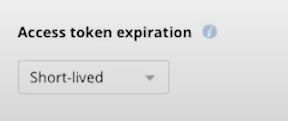
In the figure of no display long-live token tab in my dropbox app settings .
Why ?
Please ...Help Me
We Need long-live token.
- 3 years ago
msmoe Здравко is correct, Dropbox is no longer offering the option for creating new long-lived access tokens. Dropbox is switching to only issuing short-lived access tokens (and optional refresh tokens) instead of long-lived access tokens. You can find more information on this migration here.
Apps can still get long-term access by requesting "offline" access though, in which case the app receives a "refresh token" that can be used to retrieve new short-lived access tokens as needed, without further manual user intervention. You can find more information in the OAuth Guide and authorization documentation.
For reference, while the creation of new long-lived access tokens is now deprecated, we don't currently have a plan to disable existing long-lived access tokens. (If that changes, we will of course announce that ahead of time.) That being the case, you can continue using existing long-lived access token(s) without interruption, if you have any. Also, note though that after the change you won't be able to create new long-lived access tokens.
While the change began on September 30th 2021, we released it gradually, so you may not have seen your app(s) affected until more recently. Once it applies to your app, it would apply regardless of the "Access token expiration" setting for your app, and that setting may no longer be available for your app.
Note that this is something that would need to be implemented by the programmer of the app though, so if you are not the programmer responsible for this integration, you may need to get an update from them to support this.


Здравко
3 years agoLegendary | Level 20
msmoe wrote:...
size is 0. why sir?
Hi msmoe,
This means the file has been uploaded incorrectly. Do you able see the same file using the web interface of your account? Is there some content? How have you uploaded it; using web interface, locally installed Dropbox application, or API (in your application)?
 msmoe3 years agoHelpful | Level 5
Hi Здравко
I used dropbox http method in laravel. And The file goes into the app.
The response I got is the same as the response in the Documentation.
In Here
Me uploaded Code below!
$filename = $request->file('video')->getClientOriginalName();if($request->hasFile('video')){$args = array("autorename"=> false,"mode"=> "overwrite","mute"=> false,'path' => '/'.'video'.'/'.$filename,);$client = new \GuzzleHttp\Client();'headers' => ['authorization' => "Bearer {$this->getToken()}",'Content-Type'=> 'application/octet-stream','Dropbox-API-Arg' => json_encode($args)],'data-binary'=>$filename,]);below my app figure
Its OK,sir.
But
When I click on the link in the response and download, the resulting file cannot be opened.
And Size is 0 . Why?
Please explain Sir.
Thank.
- Здравко3 years agoLegendary | Level 20
Hi msmoe,
Seems you haven't read your tooling documentation. What is:
msmoe wrote:...'headers' => ['authorization' => "Bearer {$this->getToken()}",'Content-Type'=> 'application/octet-stream','Dropbox-API-Arg' => json_encode($args)],'data-binary'=>$filename,]);...
... this 'data-binary'?! 🤔 Can you point out to the place where this is described? After that, you need to post your file content, not the file name!!! Even if your call would successful, the resulted file's gonna contain only the file name; nothing more. Since the request body is completely empty now, the file is empty too. 🙂 Take a bit more care; rely on check and error only when you don't have any documentation.
Hope this gives direction.
About Dropbox API Support and Feedback

Get help with the Dropbox API from fellow developers and experts.
The Dropbox Community team is active from Monday to Friday. We try to respond to you as soon as we can, usually within 2 hours.
If you need more help you can view your support options (expected response time for an email or ticket is 24 hours), or contact us on X, Facebook or Instagram.
For more info on available support options for your Dropbox plan, see this article.
If you found the answer to your question in this Community thread, please 'like' the post to say thanks and to let us know it was useful!


