Need to see if your shared folder is taking up space on your dropbox 👨💻? Find out how to check here.
Forum Discussion

merveait
3 months agoNew member | Level 2
I synced only one folder when I installed the desktop app - how can I access the rest?
Application Affected File viewing Device Macbook Air Operating System/Browser (if using the web) macOS Tahoe 26.0 Dropbox App Version (if using the app) -
Question or Issue When installing ...

Hannah Dropbox Community Moderator
3 months agoDropbox Community ModeratorHey merveait, welcome to our Community!
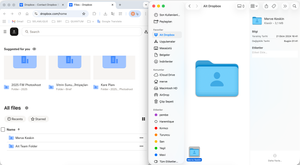
No worries at all, this is a pretty easy thing to fix; you'll just need to go to your selective sync settings and select the folders you need to sync to your Dropbox folder.
The app will start syncing them and when it shows that it's "up to date", your selected folders will be available in your Dropbox folder.
I hope this helps, but let me know if you have any questions!
About Create, upload, and share
Find help to solve issues with creating, uploading, and sharing files and folders in Dropbox. Get support and advice from the Dropbox Community.
The Dropbox Community team is active from Monday to Friday. We try to respond to you as soon as we can, usually within 2 hours.
If you need more help you can view your support options (expected response time for an email or ticket is 24 hours), or contact us on X, Facebook or Instagram.
For more info on available support options for your Dropbox plan, see this article.
If you found the answer to your question in this Community thread, please 'like' the post to say thanks and to let us know it was useful!


