Need to see if your shared folder is taking up space on your dropbox 👨💻? Find out how to check here.
Forum Discussion

Kidhack
9 years agoHelpful | Level 5
In a "mdworker quit unexpectedly" loop after turning on Smart Sync
Ever since turning on Dropbox Smart Sync, Spotlight has been going nuts and using tons of CPU. The helper app "mdworker" is constantly crashing. Will report back after Dropbox finishes indexing all the Smart Sync files.
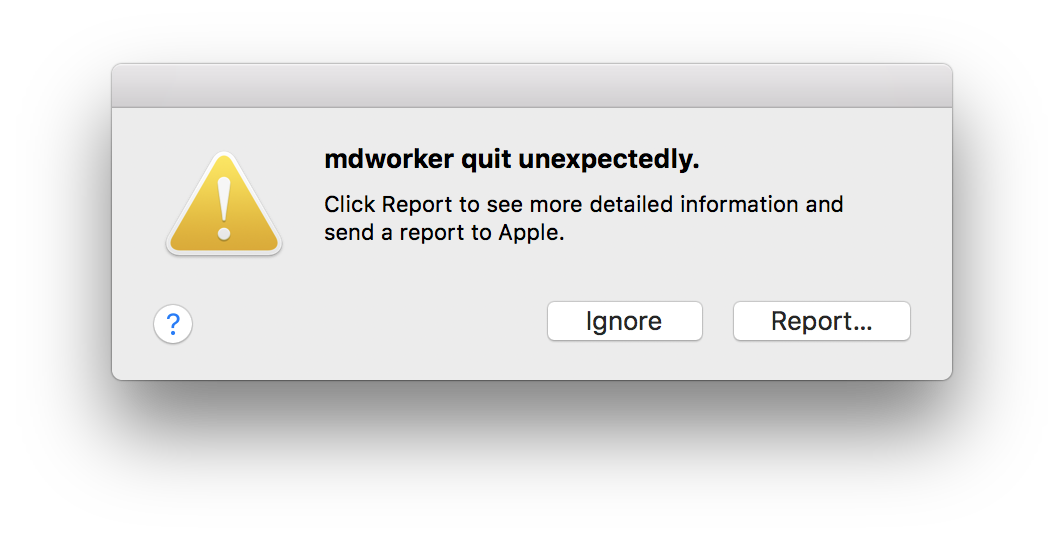
PS. Funny you can't link Dropbox photos to the image uploader in this forum.
Hi everyone,
I wanted to give you an update on the issue of mdworker crashing when reading a mismatch in the expected logical vs physical size of PDFs on Mac.
Firstly we've not forgotten about this, a lot of work has been going on in the background to resolve the issue. It has required extensive code re-writing. For those not familiar with the issue, users may see within the logs mdworker crashing. This crash is fairly silent, though will appear in logs. There's no risk to data, but for those who like to inspect clean logs this can cause a lot of noise and may be viewed as sub-optimal.
Based on the feedback raised by yourselves on this forum we've spent considerable time working toward a fix. We've changed the way we write Smart Sync placeholders (ie the files that look like files, but take up 0kb until recalled) for those on 10.13.5 and later. The new sparse format will not trigger an mdworker crash.
We've tested within the beta to validate the code and at this point have now rolled the fix / changed behavior out to 100%.
This is a forward fix, so from now on all and any placeholders created will not suffer this issue. For those who have the placeholders (the empty files with the grey cloud symbol on them) already on their machines there are a few options:
- Unlink and relink your Dropbox. Note: this will trigger a reindex of content that may take minutes to a few hours depending on your filecount.
- Remove the content, via Selective Sync, then return it. Similarly, but perhaps preferably, this will remove the placeholders then re-add them quickly and non-destructively.
There are a few other options, but those keen to avoid this error being highlighted in logs can take these steps.
Many thanks for your feedback on this issue here, it's driven a clear change in product. We pay close attention to the feedback surfaced via this channel so if you have other wishes please either add to existing threads, up-vote ideas, or create your own thread to spark discussion or development.
102 Replies
Replies have been turned off for this discussion
 afonsopatrao7 years agoExplorer | Level 4
I'm having this issue with smartsync and High Sierra (10.13.6). I did what you said (unlink and link it back), but I also tried other solutions: rebuild spotlight; fixing system permissions; reinstalling MacOS. Nothing works: mdworker is constantly crashing, which makes "ReportCrash" process taking enormous CPU usage.
Maybe the problem got back woth your latest Dropbox release. Please find a sollution: I cannot work without spotlight making its job.
- Walter7 years ago
Dropbox Community Moderator
Sorry to hear you're still seeing this afonsopatrao.
As you've already done some troubleshooting, could you perform a clean, advanced re-install and let me know if the issue persists?
If it does, could I reach out to your Dropbox email address to work on this together?
- afonsopatrao7 years agoExplorer | Level 4
Yes, please. The problem keeps happening with smart sync. When I restart the computer, mdworker doesn't crash for some minutes. But as soon as I start to work on files, it crashes. And spotlight only works correctly with local downloaded files.
- Walter7 years ago
Thanks for letting me know and sorry to hear this persists even after an advanced re-install afonsopatrao.
I have just sent you a brief message to your Dropbox associated email address so we can have a further look into this with all of my tools available.
Whenever you get the chance, take a look at your inbox and we'll take it from there.
Thanks so much!
- RafaelG7 years agoNew member | Level 2
doesnt work for me help !!!
- Walter7 years ago
Sorry to hear this RafaelG. Have you tried any troubleshooting steps so far like re-installing the software on the affected device?
If the issue persists, could you post a screenshot of the exact error you see on your screen so we can investigate further?
Thanks so much and welcome to our Community too Rafael!
- ERC7 years agoNew member | Level 2
Hi I too am having this problem.
I have been communicating with Dropbox Tech support for some time and now my problem has been escalated. Since then I have had no updates or contact for six days.
I really need to get this fixed. "mdworker quit unexpectedly" and "quicklookd quit unexpectedly while using the DropBoxQL plug in"
It's driving me bonkers and stopping me from working effectively.
Can someone help? - Walter7 years ago
I'm sorry to hear you're facing this issue and thanks for flagging this with us ERC.
I understand that you're in direct line with our advanced team and haven't heard from them for days so I've passed your comments on to your ticket and gave it a nudge so as to be prioritized.
Thanks in advance for your patience and cooperation.
PS: In the meantime, you could try re-indexing Spotlight and/or force quitting and relaunching Finder.
 Thomas C. G.7 years agoExplorer | Level 4
After struggling with this for weeks and trying all kind of possible solutions, I finally got rid of the error message. The trick on my system was, to exclude the Dropbox cache folder from spotlight searches. Bingo. :-)
- ERC7 years agoNew member | Level 2
Hi Thomas.
Thanks for the info.
After several weeks of getting nowhere I have actually gone to the more drastic lengths of totally re-installing MacOS and starting from scratch.
A painful process but I can confirm theat the problem has stopped occuring – for the time-being at least.
Thanks again for offering your support.
Cheerss

About Integrations
Find solutions to issues with third-party integrations from the Dropbox Community. Share advice and help members with their integration questions.
The Dropbox Community team is active from Monday to Friday. We try to respond to you as soon as we can, usually within 2 hours.
If you need more help you can view your support options (expected response time for an email or ticket is 24 hours), or contact us on X, Facebook or Instagram.
For more info on available support options for your Dropbox plan, see this article.
If you found the answer to your question in this Community thread, please 'like' the post to say thanks and to let us know it was useful!


