We're making some changes to the Dropbox Community 👩💻 - Find out more here.

rfog
5 years agoCollaborator | Level 9
Status:
Closed - Inactive
Be able to change Dropbox backup folders names on individual accounts
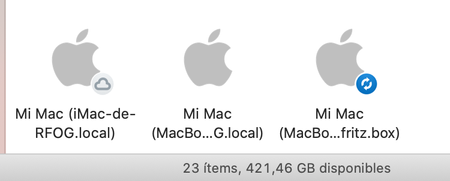
Add possibility of rename Backup folders. If you have only one computer, it go fine, but if you have more than one, it ends being very confussing. Due iCloud Drive issues, I've changed all of my Macs...

Derek Erb Solutions
3 years agoHelpful | Level 6
rfog we can force our users to use one Documents folder and one Downloads folder. Even though we are removing the ability to have individual folders per machine which are uniquely linked to that machine. We can change the display of these folders, in Finder or in Windows Explorer, so that the references point to the individual folder. We can manually change the Downloads folder in every browser and every other software programme that downloads file.
However, and this is important, ...
We should not have to!
This matter becomes all the more complicated and complex when you try doing the same thing for the third of those backed up folders: the Desktop (either Mac OS or Windows).
We used to be able to name and rename our "backup" folders in Dropbox. Dropbox removed this. They need to put it back and respect their multi-device clients.
In the very near future each user will be using more and more devices with their Dropbox account rather than less and Dropbox needs to make that simple and practical.
Now of us should have to be implementing workarounds for a problem which our supplier, Dropbox, should be fixing for us.