We’re Still Here to Help (Even Over the Holidays!) - find out more here.
Forum Discussion

De L.1
6 years agoCollaborator | Level 9
Shared media files with ?dl=1 parameter not working in mobile iOS Safari browsers
Hello Dropboxers,
I suddently encounter problems loading media files via a shared link with the ?dl=1 parameter in (at least) the iOS Safari browser.
The following sharing links work fine...
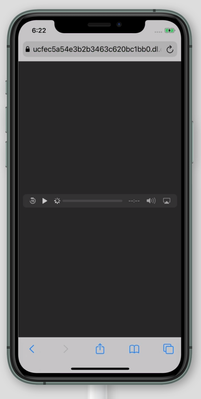

Greg-DB Dropbox Community Moderator
6 years agoDropbox Community ModeratorIt sounds like this use case would be better served by the 'raw=1' option instead of 'dl=1'. Can you try switching to that and let me know if that doesn't help? Thanks.
 De L.16 years agoCollaborator | Level 9
Yes, replacing it with '?raw=1' does prevent this issue from happening.
However, I can't change the URL as the use case is that the file should actually be downloaded which it does in all other browsers. Unfortunately, iOS Safari will just start streaming the file (by design) which doesn't work with the '?dl=1' parameter.
- Greg-DB6 years ago
I see, thanks for clarifying. If you do want the download behavior, using "dl=1" is correct.
I just tried this myself with a Dropbox shared link to a .mp3 file with "dl=1" in Safari on an iPhone running iOS 13.3.1 though, and upon accessing the link Safari prompts me to choose between "View" and "Download". Choosing "Download" does successfully download the linked file as desired. Are you not getting that prompt?
- De L.16 years agoCollaborator | Level 9
I just tried it with a device with the latest iOS version (13.4.1) and I am now seeing the same prompt as well. For some reason that wasn't the case when I initially tested this. It turns out that Apple has finally added the download functionality in mobile Safari as of iOS 13, so it no longer only offers the streaming solution. Good news!
That means that the issue basically remains if you are running iOS 12.x or lower and when you press 'View' instead of download as of version 13. Is there still any chance to still solve that?
About Dropbox API Support & Feedback

Find help with the Dropbox API from other developers.
The Dropbox Community team is active from Monday to Friday. We try to respond to you as soon as we can, usually within 2 hours.
If you need more help you can view your support options (expected response time for an email or ticket is 24 hours), or contact us on X, Facebook or Instagram.
For more info on available support options for your Dropbox plan, see this article.
If you found the answer to your question in this Community thread, please 'like' the post to say thanks and to let us know it was useful!


