We’re Still Here to Help (Even Over the Holidays!) - find out more here.
dropbox pro
130 Topics
Dropbox unlinked my accounts suddenly
Hi there! I've have a free dropbox personal account for 15 years, and at some point added a free Teams account. Several years ago I upgraded the Teams account to a Professional account. ----- Today I got this message, and all my Professional files were taken off my machines (they're still on dropbox of course) Business Dropbox Removed: Your business Dropbox account was removed from this computer because your accounts were unlinked. Your files have not been deleted. ------ I would love to be able to link my two accounts, and continue having two separate dropbox home folders on my machine. Basically, I am leaving the country tomorrow morning and will have extremely limited internet access. I just need it to work how it used to, but I accept that I may need an alternate setup based on whatever Dropbox has changed. When I am signed into my Personal (free) account, it says I have 3TB of space, and the same for the Professional account. Within the settings menu the Pro account is called Personal Account, but when I check the billing plan for the Pro account, it calls it Dropbox Professional. Any solutions? Many Thanks! (too bad this is my only option for customer support 🙂Solved11KViews5likes27Comments
Clarifications regarding personal use plans vs business use plans
Hi, I am trying to figure out a general outline of all the plans, and here are my finds. Personal Use plans : (payed as an individual) 1. Basic 2 Gb 1 user free 2. Plus 2 TB 1 user 3. Family 2 TB 6 users 4. Professional 3 TB 1 user 5. Essentials 3 TB 1 user Commercial Use plans: (payed as a company) 1. Essentials 3 TB 1 user 2. Business 9 TB 3 users+ 3. Business Plus 15 TB 3 users+ 4. Enterprise Custom Custom But I also found another group of Business plans: 1. Professional 3 TB 1 user 2. Standard 5 TB 3 users+ 3. Advanced 15 TB 3 users+ Questions: 1. I see Essentials as being both in the list of personal plans as well as in the group of company payed plans. Is it correct? 2. Is Professional plan a company payed plan or a personal payed plan? 3. Standard is the same thing as Business ? Advanced is the same as Business Plus? Or are they different? 4. The 3rd group of plans (Professional, Standard, Advanced) are all company payed plans? 5. Are there plans that can be both personal payed as well as company payed plans? 6. I also want to know if all business plans are company payed plans or there are exceptions (personal plans that can be company payed for, or business plans that can be personally payed for). 7. Do Work account mean is a business account? (see question 6 for exceptions) Thank You, Dan4KViews0likes6Comments
What's the difference between a Family plan and a Professional plan?
I can’t find the differences between the family vs professional plan. I currently have the professional plan but want my wife to be able to upload her pictures to her own “Camera Backup_wife” folder and I believe that is not doable unless I’m mistaken? I read that a family plan would allow her to do this but I can’t find a comparison of the plans and so I’m wondering if I would loss features switching from Professional to Family? Will I still have large file transfers? And unlimited devices?Solved7.2KViews0likes3Comments
iPad Files app not showing Dropbox folders and how I managed to solve this.
In working with a new iPad, I discovered that the Files app was not correctly connecting with Dropbox. No Dropbox folders showed up either in the Files app or in any other app with an open feature that would normally have been able to access Dropbox files. Oddly, when I clicked “Dropbox” in the list, there were no folders but I could add a folder and that new folder showed up in Dropbox on other devices (and in the Dropbox app on the iPad)! So there was some connection but not much… This is not an issue I’m experiencing on any of my other Apple devices (Mac or iOS). In talking with Apple support they had me delete the Files app, reboot the iPad, then reinstall “Files.” I did that, but to no effect. They escalated me to a higher level of support but while I was waiting, I also deleted Dropbox and reinstalled it. That solved the problem! So, if you can’t access your Dropbox folders and files in Files or in any of your other iPad apps, just delete and reinstall Dropbox—problem solved (at least for me, this time!)5.9KViews4likes6CommentsCan I use Mac OS Time Machine alongside Dropbox?
Having levelled up from the free version of Dropbox and using Time Machine alongside for years, and now on a professional plan and being told to ditch Time Machine. This is a potential deal-breaker. Why exactly is it a bad idea to use both together? I find myself stuck here because Dropbox is not a full backup solution, as we are constantly told. So I need to use a full backup solution like TM to back up my system drive - is there another Time Machine like app that I can use that will work alongside Dropbox and is recommended?3KViews1like4CommentsManaging your Dropbox subscription
The time may come when you want to change your Dropbox subscription and whether you need more or less from Dropbox, we want to make sure that you have all the information you need to do just that. Need more space? Why not move to a plan with more storage? If you’re changing plans because you need more space, you can check out the plan types here, but to give you a quick summary of space: Basic plan: 2 GB of space Plus plan: 2 TB of space Family plan: Shared 2 TB of space (up to 6 users) Professional plan: 3 TB of space If you’re maxing out the space in your account, you could try some space saving tips here, or it could be time to upgrade your dropbox account. Learn more about the plan that suits you best and make your choice. What happens when I cancel my Dropbox subscription or trial? So, you’ve decided to leave… we’ll try not to take it personally 😢 All joking aside, here are some of know when you decide to cancel your Dropbox subscription. Well, the first thing is that this doesn’t actually have to be goodbye, your account will downgrade to a Dropbox Basic account at the end of your billing cycle or trial. So that means; You’ll still have access to all of your files and folders Dropbox keeps deleted versions of your files for 30 days, in case you change your mind If you’re over your downgraded storage quota, Dropbox will stop syncing your files Changing your Dropbox plan to Basic is not the same as deleting your Dropbox account. Canceling or downgrading a Dropbox subscription Depending on how you subscribed to Dropbox, there are different ways to change or cancel your subscription. If you subscribed on mobile - you will need to unsubscribe on mobile too, through iTunes or Google Play, depending on your device type. Learn how to cancel a Dropbox subscription purchased on your computer. How to cancel a Dropbox subscription or trial on an iPhone or iPad On your iPhone or iPad, tap Settings and then your name. Tap Subscriptions (about midway through the screen) and find Dropbox in the list. Tap Cancel Subscription or Cancel Trial and confirm. Your account will downgrade to Dropbox Basic (free) at the end of your billing cycle. How to cancel a Dropbox subscription or trial on Android If you purchased Dropbox from an Android device, you can cancel a Dropbox subscription or free trial by following these steps: Open the Dropbox mobile app and head to the Account tab in the bottom right corner. Tap Manage your subscription and then How to cancel. Tap Cancel plan at the bottom of the screen. This will take you to your subscription in Google Play. Tap Cancel subscription. You’ll receive an email to your Google account to confirm your cancellation, and your account will downgrade to Dropbox Basic (free) at the end of your billing cycle. Cancel an individual Dropbox plan on desktop If you manage your Dropbox plan on desktop then here are some easy steps to follow to cancel your subscription on desktop. Follow the steps below, and you can update your plan to match your needs. Sign in to dropbox.com. Click your avatar (profile picture or initials) in the top-right corner. Click Settings. Click Plan. Click Cancel plan at the bottom of the page. Note: If you don’t see Cancel plan, you may have purchased Dropbox on your mobile device. If so, you’ll need to cancel your plan from the app store on your device. Select a reason for canceling. Click Continue canceling. You’ll receive an email confirmation that your subscription has been canceled. So, there you have it. Whether you want to change the features you have access to, or the amount of space you need, you can manage your Dropbox account to fit your needs. If you have any questions about managing your plan, drop them in the comments below and we can get you answers!12KViews1like2CommentsDid you know... you can search for images using just text?
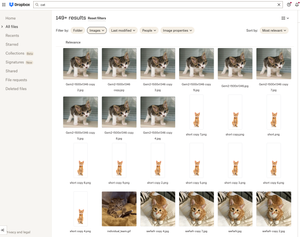
Hello Dropbox Community! My name is Lainie and I'm a Product Manager at Dropbox. Every now and again, I am going to post a "Did you know..." to 1) keep you informed of all of the cool technology that exists at Dropbox and 2) gather your feedback on how the features are performing. In today's, "Did you know..." I'll be talking about Image Search! Image search is allows you to use the Search Bar to search for the contents of the image using words to describe the image. For example, if you search for "cat" your search results will show files that 1) contain the word "cat" in the file name or body, AND 2) files that contain images of cat. No mention of the word "cat" is necessary! Pretty cool! If you haven't yet, I recommend that you check it out. Please respond to this thread and let me know... A) Did you know this feature existed? Do you use it? B) How can we make this even more useful for you? Have a great day! Lainie For more information, check out our Help Center Article on Image Search!9.4KViews9likes3Comments
My Dropbox Professional free trial hasn't begun?
Dropbox Plan Professional Payment Method Credit card How did you upgrade? Directly through the Dropbox website Question or Issue Hi, I purchased a Professional plan, entered my card details to receive the 30 day free trial. Shortly after purchasing I cancelled the plan, however I was expecting my trial to last until the end of the cycle (30 days) but it still says I have a basic plan. In my inbox, the only relevant emails I received from Dropbox were to: 1 Verify my email, and 2: Dropbox professional trial cancelled. I didnt receive am email upon account creation (not sure if thats usually the case) and I didnt receive a confirmation email upon Trial beginning, only after cancellation. Billing info on my account shows the Card used when starting the trial. Im also unable to start a new trial as it says my account is ineligible. Just wondering if anyone has had a similar experience or if there's any solution available. I havent been charged but Im pretty sure I should still be listed as having a professional trial, despite cancelling on the day of beginning the free trial as listed on the billing articles. Thank you,69Views0likes5Comments
Should I have a personal or Business account?
I own my business and use Dropbox Business. It's great and more secure than personal, which I have loads of data on. Is there any reason I should have both? I can't think of any. Seems like I should just migrate everything to DB Biz. Am I missing something?Solved3KViews0likes6Comments