We’re Still Here to Help (Even Over the Holidays!) - find out more here.
web
1693 Topics
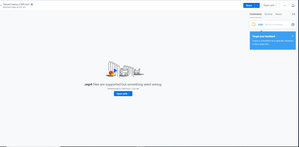
MP4 files won't play on the web. ".mp4 files are supported but something went wrong."
So I've been uploading videos to dropbox and suddenly dropbox just stopped allowing me to view the videos on the site. My other videos play fine but the ones I upload now just won't play. Anyone know the cause for this?21KViews1like46Comments
I've looked everywhere online for my selective sync settings, but I can't find them.
I have looked everywhere on my Dropbox.com account and cannot find sync anywhere. I have found preferences and there is nothing about sync there. I have a colleagues whose screen shows sync under this menu. I have been on Dropbox since 2008. I upgraded the desktop app but don't know if or how I can update the desktop application. Any suggestions? Could she possibly have a paid version if she has selective sync -- but even with the free version I should have sync shouldn't I so I can remove files I don't want to sync Her message: Across the menu bar at the top you should see a drop box icon. Click on it. [Note: this only opens my dropbox - I need to click my personal icon and then I get setting and preferences] Then you’ll see an option called settings or preferences. Click on it and you’ll see an option that says sync. [Note: I don't see sync option anywhere here] Click on that and look for an option that says ‘selective sync’ Here you can click only the folders you want.8.1KViews0likes7Comments
Suddenly slow upload speeds when using the desktop app on and the website.
As of today, I am getting incredibly slow upload speeds. It is currently maxing out at about 50kb/s and most of the time it is lower. I typically get 5+mb/s. Nothing on my end has changed and it was working fine just a few days ago. I’ve already seen multiple help threads talking about bandwidth limits but I have my account set to unlimited. Problem is consistent whether I use the desktop app or web browser. Any suggestions? Most of the other threads I can find are from a year or more ago and don’t end in conclusive fixes.Solved11KViews1like16Comments
Error that the file couldn't be opened when accessing Google sheets document online.
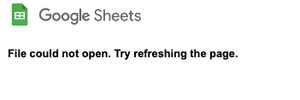
Hi, I'm encountering a problem while using Google sheets that's integrated with Dropbox. It used to be fine, but when I tried to open it today, the page refused to load and the message that I got is "File could not open. Try refreshing the page". I already tried to refresh the page several times, but it wouldn't work. I even tried to copy the file and open the copy -- but again, to no avail. This happened to my several other Google sheets documents as well. What do you think is happening and what should I do now? I'm afraid that it will affect my other Google documents since I'm using the Google-Dropbox integration quite often. I'd appreciate any help, thanks!Solved24KViews0likes46Comments
Small tip if you want to print a list of files in a Dropbox folder!
Turns out there is no such printing option. However, if you select all files with Ctrl + A, all subfolders and files will be selected. Then using Ctrl + C, copy to the clipboard. Next open a new blank Word document and paste (Ctrl +V) to the Word page. All text should appear from the Dropbox webpage. Delete whatever text is not relevant and you'll be left with a list of folders and files.12KViews1like12Comments"This file cannot be previewed because you are offline" when accessing shared link.
Hi, Since a while, I see this message when trying to view a dropbox link shared by others. I get this on Chrome, on Firefox and on Safari, so this is not a browser specific issue. Here's one example link where I get this problem. Even clicking download doesn't do anything. This thread on the forum seems to be related to my issue, but the problem seems to always get solved in direct communication with the customer, and no solutions are posted on the forum. When I Google this error message, there are no results, and neither is there any explanation of this specific error message on the dropbox site. Kind regards, Tim20KViews2likes45CommentsWhat is the best way to utilize Dropbox when listening to music?
I placed my music in dropbox. If I want to listen directly using dropbox, I can listen only to one song at a time I had to select an other song in a folder to listen again. Is there a possibility to listen to more songs or a complete CD?Solved114KViews21likes79CommentsSpecify the destination when downloading via the web to a PC that doesn't have the Dropbox app?
I want to be able to specify the destination when downloading via the web to a PC that does not have Dropbox installed. Dropbox seems to default to the Windows default download folder, and I cannot find an option to change this.Solved34KViews4likes8Comments