Your workflow is unique 👨💻 - tell us how you use Dropbox here.
Forum Discussion

lucasromeiro
7 years agoExplorer | Level 3
Access and file upload using command line (RAW socket)
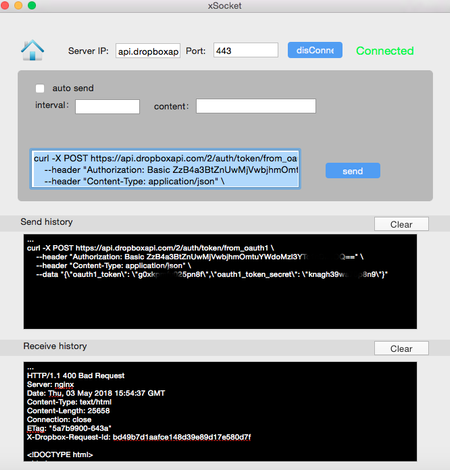
Hello everyone. I am trying to login and upar a file in the dropbox using command line, (RAW socket). I am having difficulty understanding how to do it, because I always get error from my commands....

chirstius Dropbox Staff
7 years agoDropbox Staff
I'm not sure there's an easy way around authenticating through the browser, that's really how the OAuth2 workflow needs to run for us. What you might be able to do is generate the authorization link, write it to the console/terminal and ask your user to copy it into a browser on another device. Then prompt for the code that comes back. They can enter the code into the terminal, and you can complete authorization from there and store their token. Since this is a one-time action it might be an acceptable workaround.
As to your other question(s) around uploading, there is the singular /upload endpoint for files of 150MB or smaller:
https://www.dropbox.com/developers/documentation/http/documentation#files-upload
And there are chunked session endpoints for files larger than 150MB:
https://www.dropbox.com/developers/documentation/http/documentation#files-upload_session-start
https://www.dropbox.com/developers/documentation/http/documentation#files-upload_session-append_v2
https://www.dropbox.com/developers/documentation/http/documentation#files-upload_session-finish
If you are committing a large number of concurrent uploads.
The singular upload endpoint example in the documentation is self-contained. If you are using curl it should work as-is to upload smaller files.
For chunked uploads, you would need to determine what mechanism is available to you to chunk the files and provide that data to the endpoints (/start and /append_v2). That mechanism is a bit outside the scope of Dropbox API support though and is highly dependant on the platform and libraries available to you which I can't help with.
I do hope this gets you a bit closer to a solution,
-Chuck

lucasromeiro
7 years agoExplorer | Level 3
Cool, I get it.
I liked your idea of generating a link and the user copy it in the browser and enter the code in the program!
But I have some questions about that.
I think you can help me in them:
Earlier you told me that I have 2 options:
- Use My Account Token
- Use OAuth2 and store Tokens on my device.
Right?
How do I use the Token of my application to authenticate? Do I get a get in some specific format and receive some confirmation?
In the second case, I would use OAuth2 to store the tokens, but for that I would need the link for the user to paste into the browser as you suggested in the previous message. right? But, how can I generate a link if I do not have the user's key (client_ID) app?
As for uploading files, my system will always work with small files, it will never exceed 150Mb and I will always transfer one file at a time!
I think I'll use this:
https://www.dropbox.com/developers/documentation/http/documentation#files-upload
But I have not yet arrived in this part, first I need to be able to authenticate before I can upload ...
As I said earlier, I want to make a library for arduino. This will make things easier for other people. I'll also use it for my masters degree.
You have helped me a lot and I want to put your name in thanks, can I post?
Thanks, I think we can do this! :grinning:
About Dropbox API Support and Feedback

Get help with the Dropbox API from fellow developers and experts.
The Dropbox Community team is active from Monday to Friday. We try to respond to you as soon as we can, usually within 2 hours.
If you need more help you can view your support options (expected response time for an email or ticket is 24 hours), or contact us on X, Facebook or Instagram.
For more info on available support options for your Dropbox plan, see this article.
If you found the answer to your question in this Community thread, please 'like' the post to say thanks and to let us know it was useful!


