Your workflow is unique 👨💻 - tell us how you use Dropbox here.
Forum Discussion

AzErLoc
7 years agoExplorer | Level 4
[API] Can't download or overwrite a file after uploading it 1 time(android) (have to reload the app)
I'm not able to download or overwrite a file after uploading it 1 time. However when I kill the app and reload it it is ok, I can read it (download the string) but then I upload it and again I'm no...
AzErLoc
7 years agoExplorer | Level 4
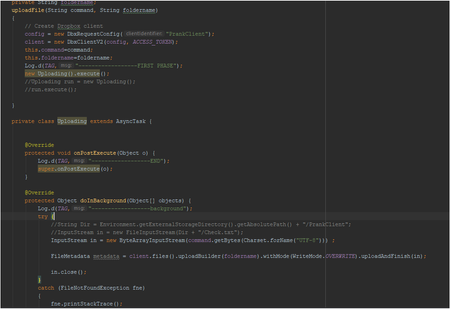
package com.example.admin.prankclient;

import android.os.AsyncTask;
import android.util.Log;

import com.dropbox.core.DbxException;
import com.dropbox.core.DbxRequestConfig;
import com.dropbox.core.v2.DbxClientV2;
import com.dropbox.core.v2.files.FileMetadata;
import com.dropbox.core.v2.files.UploadErrorException;
import com.dropbox.core.v2.files.WriteMode;

import java.io.ByteArrayInputStream;
import java.io.FileNotFoundException;
import java.io.IOException;
import java.io.InputStream;
import java.nio.charset.Charset;

import static android.support.constraint.Constraints.TAG;

public class uploadFile {
    private static final String ACCESS_TOKEN = "xxxxxxxxxxxxxxxxxxxxxxxxxxxxxxxxxxxxxxxx";
    private DbxRequestConfig config = null;
    DbxClientV2 client = null;
    private String command;
    private String foldername;
    uploadFile(String command, String foldername)
    {
        // Create Dropbox client
        config = new DbxRequestConfig("PrankClient");
        client = new DbxClientV2(config, ACCESS_TOKEN);
        this.command=command;
        this.foldername=foldername;
        Log.d(TAG,"------------------FIRST PHASE");
        new Uploading().execute();
        //Uploading run = new Uploading();
        //run.execute();

    }

    private class Uploading extends AsyncTask {


        @Override
        protected void onPostExecute(Object o) {
            Log.d(TAG,"------------------END");
            super.onPostExecute(o);
        }

        @Override
        protected Object doInBackground(Object[] objects) {
            Log.d(TAG,"------------------background");
            try {
                //String Dir = Environment.getExternalStorageDirectory().getAbsolutePath() + "/PrankClient";
                //InputStream in = new FileInputStream(Dir + "/Check.txt");
                InputStream in = new ByteArrayInputStream(command.getBytes(Charset.forName("UTF-8"))) ;

                FileMetadata metadata = client.files().uploadBuilder(foldername).withMode(WriteMode.OVERWRITE).uploadAndFinish(in);

                in.close();
            }
            catch (FileNotFoundException fne)
            {
                fne.printStackTrace();
            }
            catch (IOException ioe) {
                ioe.printStackTrace();
            } catch (UploadErrorException e) {
                e.printStackTrace();
            } catch (DbxException e) {
                e.printStackTrace();
            }

            return null;
        }
    }
}
Greg-DB Dropbox Community Moderator
7 years agoDropbox Community ModeratorThanks! I just gave this code a try, hooking it up to a button in a sample project, and it worked fine for me when triggering it multiple times. I saw all three log statements each time.
I notice you did say that 'the second time only the first one "First Phase" appear', and that 'It look like the async task doesn't start', so it does sound like the issue you're seeing has to do with running the AsyncTask itself, before the Dropbox method is even called. (That is, since the Log call in doInBackground is before the Dropbox call.) I'm afraid I can't offer help with that though, since it has to do with Java/Android itself, and not the Dropbox call in particular.
- AzErLoc7 years agoExplorer | Level 4
Thank you for your help. I updated my android studio and figured out what was causing this issue. It seems android studio wasn't able to process 2 async task at the same time.
Thank you again for your attention.
About Dropbox API Support and Feedback

Get help with the Dropbox API from fellow developers and experts.
The Dropbox Community team is active from Monday to Friday. We try to respond to you as soon as we can, usually within 2 hours.
If you need more help you can view your support options (expected response time for an email or ticket is 24 hours), or contact us on X, Facebook or Instagram.
For more info on available support options for your Dropbox plan, see this article.
If you found the answer to your question in this Community thread, please 'like' the post to say thanks and to let us know it was useful!


