Your workflow is unique 👨💻 - tell us how you use Dropbox here.
Forum Discussion

moosterbaan
5 years agoHelpful | Level 6
Embedder error on iPhone browsers
I am using the dropbox embedder on my website. It works as expected except on iPhone devices. I have tried it on two different iPhones using the Safari, Chrome, and Firefox apps and they all have the...

thesongcompany
4 years agoExplorer | Level 3
Hi Greg,
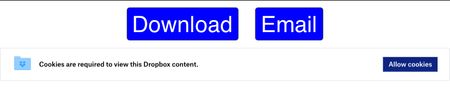
This is the only code I can find on the page which refers to cross-site tracking. We are using the GoodBarber platform to create a PWA and this page as we build it is (from our perspective) a pure (and very simple) HTML page with the DB embed, but clearly the platform injects all kinds of codes.
define(["require", "exports", "tslib", "react", "modules/clean/react/css", "dropbox/proto/js_init_data/dropins/embeds", "modules/clean/react/dropins_v3/embeds/error/callback_error", "modules/clean/react/dropins_v3/embeds/error/generic_error", "modules/clean/react/dropins_v3/embeds/error/password_error", "modules/clean/react/dropins_v3/embeds/error/login", "modules/core/i18n", "modules/clean/react/dropins_v3/embeds/tti", "modules/clean/react/dropins_v3/embeds/error/storage_access"], (function(e, r, t, s, a, o, n, c, d, i, l, u, m) {
"use strict";
Object.defineProperty(r, "__esModule", {
value: !0
}),
r.EmbedError = void 0,
s = t.__importDefault(s);
r.EmbedError = a.requireCssWithComponent((function(e) {
var r = s.default.useState(!1)
, t = r[0]
, a = r[1]
, f = s.default.useState(m.getStorageAccessState())
, g = f[0]
, b = f[1];
if (g === m.StorageAccessState.NoAccessCanRequest)
return s.default.createElement(n.CallbackErrorComponent, {
callback: m.attemptStorageAccessThenReload(b),
messageText: l.intl.formatMessage({
id: "dQ+g2n",
defaultMessage: "Cookies are required to view this Dropbox content."
}),
ctaText: l.intl.formatMessage({
id: "WqYWha",
defaultMessage: "Allow cookies"
})
});
if (g === m.StorageAccessState.NoAccess)
return s.default.createElement(c.GenericErrorComponent, {
errorText: l.intl.formatMessage({
id: "CwuFw8",
defaultMessage: "Cookies are required to view this Dropbox content. You may need to enable them in your browser."
})
});
if (g === m.StorageAccessState.AccessDenied)
return s.default.createElement(c.GenericErrorComponent, {
errorText: l.intl.formatMessage({
id: "BHiVSS",
defaultMessage: "Can’t show content because of your privacy settings around cross-site tracking."
}),
link: e.link
});
switch (e.error) {
case o.embeds.LinkError.NONE:
return s.default.createElement(s.default.Fragment, null, s.default.Children.only(e.children));
case o.embeds.LinkError.LOGIN:
return u.markTTIIfNeeded(t, a),
s.default.createElement(n.CallbackErrorComponent, {
callback: i.loginWithPopup,
messageText: l.intl.formatMessage({
id: "4zpQ9B",
defaultMessage: "Can’t show content because you’re not signed in to Dropbox."
}),
ctaText: l.intl.formatMessage({
id: "Hjykd1",
defaultMessage: "Sign In"
})
});
case o.embeds.LinkError.NO_ACCESS:
return u.markTTIIfNeeded(t, a),
s.default.createElement(c.GenericErrorComponent, {
errorText: l.intl.formatMessage({
id: "xOodvS",
defaultMessage: "Can’t show content because the owner hasn’t granted you access."
}),
link: e.link
});
case o.embeds.LinkError.EXPIRED:
return u.markTTIIfNeeded(t, a),
s.default.createElement(c.GenericErrorComponent, {
errorText: l.intl.formatMessage({
id: "ucqLru",
defaultMessage: "Can’t show content because the link has expired."
})
});
case o.embeds.LinkError.PASSWORD:
return u.markTTIIfNeeded(t, a),
s.default.createElement(d.PasswordError, {
link: e.link
});
case o.embeds.LinkError.TAKEDOWN:
return u.markTTIIfNeeded(t, a),
s.default.createElement(c.GenericErrorComponent, {
errorText: l.intl.formatMessage({
id: "VPeXVB",
defaultMessage: "Can’t show content because it has been taken down."
})
});
case o.embeds.LinkError.INVALID_LINK:
default:
return u.markTTIIfNeeded(t, a),
s.default.createElement(c.GenericErrorComponent, {
errorText: l.intl.formatMessage({
id: "5r7/Jv",
defaultMessage: "Can’t show content because something went wrong."
})
})
}
}
), ["/static/css/dropins_v3/embeds/index-vflvkFyFQ.css", "/static/css/dig-components/index.web-vflGJghcb.css", "/static/css/spectrum/index.web-vflmHVRF-.css"])
}
));
//# sourceMappingURL=embed_error.min.js-vfljKn5wQ.map
Hope that sheds some light on how to fix it.

Greg-DB Dropbox Community Moderator
4 years agoDropbox Community Moderatorthesongcompany Apologies for the confusion. I was referring to the "Prevent Cross-Site Tracking" setting in Settings.app > Safari. Can you check that?
It may also be easier if you can share a URL of a page where the Embedder isn't working for you. Feel free to open an API ticket if you'd prefer to share privately. Thanks in advance!
About Dropbox API Support and Feedback

Get help with the Dropbox API from fellow developers and experts.
The Dropbox Community team is active from Monday to Friday. We try to respond to you as soon as we can, usually within 2 hours.
If you need more help you can view your support options (expected response time for an email or ticket is 24 hours), or contact us on X, Facebook or Instagram.
For more info on available support options for your Dropbox plan, see this article.
If you found the answer to your question in this Community thread, please 'like' the post to say thanks and to let us know it was useful!


