Our Community is in read-only mode until April 8th, learn more here. You can still search existing threads or get help via Dropbox Support, the Dropbox Help Center, or Learn.
Forum Discussion

Ivan_
3 years agoHelpful | Level 6
How to programmatically get the Authorization code without requiring the user approval in OAuth 2.0
Hi,
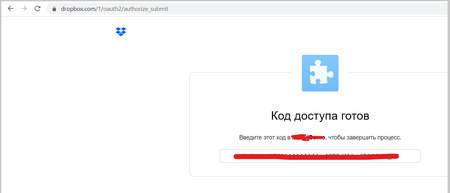
I need to get approve code programmatically without this form via c# code
this is my code
How it should be modified in order to get approve code automatically without us...
- 3 years ago
Ivan_ wrote:...
The problem is that this code does not work in my Application. It stops at Proce/ssCodeFlowAsync method and after that the eternal loading of response begins. Sometimes eternal loading begins at HandleJSRedirect and HandleOAuth2Redirect methods, I do not know what causes such behavior.
...
Ivan_, the code is for one time use!!! Once you get your credentials (access token and refresh token) the code isn't valid anymore! You should keep received credentials (primary the refresh token) and reuse later when needed to construct client object. Why after the authentication (you have credentials already) are you calling still handlers designate for initial authentication? 🤔 I cannot see a reason.


chemical21
2 years agoExplorer | Level 4
The better example could be a form with 3 buttons and textboxs:
Button1 - Get autorization code and fill a textbox1 with url string to get accesstoken
Button2 - Get Accestoken and fill a textbox with the url string with the accesstoken grant access finaly.
Button3 - Click and get the access the resources needed.
and a result of all this in a testbox.

Greg-DB Dropbox Community Moderator
2 years agoDropbox Community Moderatorchemical21 Thanks for the feedback!
About Dropbox API Support and Feedback

Get help with the Dropbox API from fellow developers and experts.
The Dropbox Community team is active from Monday to Friday. We try to respond to you as soon as we can, usually within 2 hours.
If you need more help you can view your support options (expected response time for an email or ticket is 24 hours), or contact us on X, Facebook or Instagram.
For more info on available support options for your Dropbox plan, see this article.
If you found the answer to your question in this Community thread, please 'like' the post to say thanks and to let us know it was useful!


