Your workflow is unique 👨💻 - tell us how you use Dropbox here.
Forum Discussion

msmoe
3 years agoHelpful | Level 5
We need Long-live access token
Please Help ...
In the figure of no display long-live token tab in my dropbox app settings .
Why ?
Please ...Help Me
We Need long-live token.
- 3 years ago
msmoe Здравко is correct, Dropbox is no longer offering the option for creating new long-lived access tokens. Dropbox is switching to only issuing short-lived access tokens (and optional refresh tokens) instead of long-lived access tokens. You can find more information on this migration here.
Apps can still get long-term access by requesting "offline" access though, in which case the app receives a "refresh token" that can be used to retrieve new short-lived access tokens as needed, without further manual user intervention. You can find more information in the OAuth Guide and authorization documentation.
For reference, while the creation of new long-lived access tokens is now deprecated, we don't currently have a plan to disable existing long-lived access tokens. (If that changes, we will of course announce that ahead of time.) That being the case, you can continue using existing long-lived access token(s) without interruption, if you have any. Also, note though that after the change you won't be able to create new long-lived access tokens.
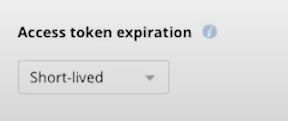
While the change began on September 30th 2021, we released it gradually, so you may not have seen your app(s) affected until more recently. Once it applies to your app, it would apply regardless of the "Access token expiration" setting for your app, and that setting may no longer be available for your app.
Note that this is something that would need to be implemented by the programmer of the app though, so if you are not the programmer responsible for this integration, you may need to get an update from them to support this.

msmoe
3 years agoHelpful | Level 5
Hi Здравко
Thank You for reply.
Please help me Sir.
When uploading succeeded, But in the dropbox app the file size is 0 why?
As Sir said The requested file is the body.
It is shown below. Where is it wrong?
And Sir said above Is it because data-binary is wrong?
Please help me Sir.
I hope it will help you sir.
If possible, could you show me the code as an example?
I used php/laravel Sir.
I'm a junior so it's hard to explain in writing.
Thank Sir.

Greg-DB Dropbox Community Moderator
3 years agoDropbox Community Moderatormsmoe I see that the file you have uploaded has a size of 0 bytes, meaning it doesn't contain any data. When uploading files, you'll need to make sure you send the data you want uploaded for that file.
For instance, if you're using /2/files/upload, you'll need to send the file data in HTTPS request body, as that endpoint is a "content-upload" style endpoint. You should refer to the documentation for whatever HTTPS client you're using to perform that call for information on how to supply the file data in the request body. (Note that "data-binary" is the name of a parameter used by "curl" on the command line, but that may not necessarily also be the name of the parameter you should be using for your HTTPS client.)
- msmoe3 years agoHelpful | Level 5
Hi Greg-DB
Thank You for reply.
Sir, I don't understand what you are saying.
I am refer to the documentation.
My Code is below Sir.
Where is it wrong? And Where is it needed?
Please help me Sir.
Because I've tried and I can't.
Because it's important to me Sir.
Please
$filename = $request->file('video')->getClientOriginalName();if($request->hasFile('video')){$args = array("autorename"=> false,"mode"=> "overwrite","mute"=> false,'path' => '/'.'video'.'/'.$filename,);$client = new \GuzzleHttp\Client();'headers' => ['authorization' => "Bearer {$this->getToken()}",'Content-Type'=> 'application/octet-stream','Dropbox-API-Arg' => json_encode($args)],]); - Здравко3 years agoLegendary | Level 20
Здравко wrote:... this 'data-binary'?! 🤔 Can you point out to the place where this is described? ...
msmoe wrote:...
I am refer to the documentation.
...
Hmm... really... Where is this documentation? Read it and probably you won't need somebody to tell you what you have to do. Again your main issue is the empty request body - leading to empty file (not only wrong parameter)! Where are you filling the request body in your code? As Greg correctly told you 'data-binary' is command line curl parameter. What is the equivalent parameter in your environment?
For easier debugging redirect the request to http://httpbin.org/post and upload some text file for easier reading (instead of binary one - like media file). Dump the result and see what you are sending actually, including the request body. Is it correct? Read the "big books" and try correct the request until correct one (matching to /2/files/upload).
One thing you can do is to create a text file with content something like "My body is Hello World" and name "test.txt". Next make a post request like:
curl -X POST http://httpbin.org/post \
  -H 'Authorization: Bearer YOUR_ACCESS_TOKEN' \
  -H 'Dropbox-API-Arg: {"autorename":false,"mode":"overwrite","mute":false,"path":"/video/test.txt"}' \
  -H 'Content-Type: application/octet-stream' \
  --data-binary @test.txt
As a response you will get description of what you have sent. It's easy to see what you have sent as a body (the file content). After that, replace the URL in your code and see what's there. While reading your documentation, try to make your request in code to be similar to what curl does (least the body, labeled as "data", has to be the same).
Good luck.
- Greg-DB3 years ago
msmoe In the latest code snippet you shared, I don't see where you're attempting to set the request body to contain the file data to upload, so you would get an empty file uploaded.
I see you're using "GuzzleHttp" as your network client. That's not made by Dropbox, so I can't offer help with that, but it looks like the documentation can be found here.

About Dropbox API Support and Feedback

Get help with the Dropbox API from fellow developers and experts.
The Dropbox Community team is active from Monday to Friday. We try to respond to you as soon as we can, usually within 2 hours.
If you need more help you can view your support options (expected response time for an email or ticket is 24 hours), or contact us on X, Facebook or Instagram.
For more info on available support options for your Dropbox plan, see this article.
If you found the answer to your question in this Community thread, please 'like' the post to say thanks and to let us know it was useful!


