Your workflow is unique 👨💻 - tell us how you use Dropbox here.
Forum Discussion

vas1992
3 years agoHelpful | Level 5
ACCESS_CODE_GENERATED
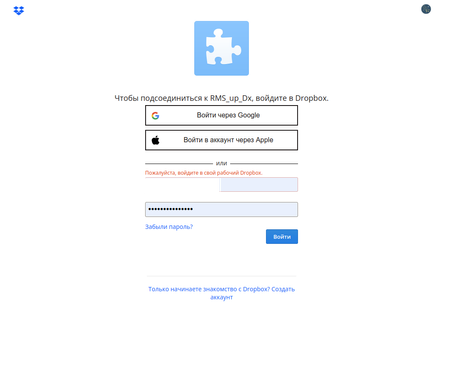
Hello. I have 2 Dropbox accounts. Working and testing. I have created a script to upload files to the cloud. While trying to get a passcode, I came across an error message: "Log in to your work accou...
- 3 years ago
vas92 As Здравко mentioned, it sounds like you have one or more "team" scopes enabled on the app you're attempting to connect. The "team" scopes enable access to Dropbox team-specific functionality, and so can only be authorized by Dropbox team admins. If your account is not on a Dropbox team, you won't be able to authorize an app with team scopes and will instead receive such an error.
You can modify the scopes enabled for your app on the app's page on the App Console.


Здравко
3 years agoLegendary | Level 20
vas92 wrote:... The message "Sign in to your work account!" appears. What is this problem? ...
Hi vas92,
Seems you are trying to link team scoped application to non team account (personal account). 😜 That's the your problem.
vas92 wrote:... This was not the case a week ago! ...
Have you changed something in your application' scopes in meantime (added some team scopes by any chance, including unintentionally)? 🧐 If you want to use team scopes, you need to use team account (including for test), unfortunately. There are some feature requests about possibility to test team application on individual account, but no any move by Dropbox yet. 🤷
Hope this clarifies matter.
About Discuss Dropbox Developer and API

Explore Dropbox Developer & API discussions with developers like you.
The Dropbox Community team is active from Monday to Friday. We try to respond to you as soon as we can, usually within 2 hours.
If you need more help you can view your support options (expected response time for an email or ticket is 24 hours), or contact us on X, Facebook or Instagram.
For more info on available support options for your Dropbox plan, see this article.
If you found the answer to your question in this Community thread, please 'like' the post to say thanks and to let us know it was useful!


