We're making some changes to the Dropbox Community 👩💻 - Find out more here.
Forum Discussion

mikechiu
1 year agoExplorer | Level 4
Fail updating folder member
Hi, I am running into a problem when calling sharing/update_folder_member . The error is {"error_summary": "access_error/not_a_member/.", "error": {".tag": "access_error", "access_error": {".ta...
- 1 year ago
The /2/sharing/update_folder_member endpoint does support the Dropbox-API-Select-Admin header, but only in the "Team Admin" mode, meaning it can "access content of team folders and team spaces but not the team members' home namespaces". So, for example, if that namespace is for a shared folder in the account's home namespace, you can't use the Dropbox-API-Select-Admin header and would need to instead use the Dropbox-API-Select-User header.
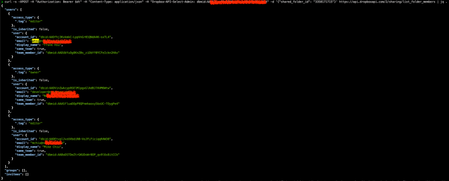
As for the version of the call where you do use the Dropbox-API-Select-User header, as Здравко noted, it looks like that did succeed, but returned a confusing warning message. For reference, if you print out the status code, I expect it is a 200, indicating success. I'll ask the team to look into this to correct that confusing warning message though.


Здравко
1 year agoLegendary | Level 20
mikechiu wrote:...
I was wondering if there's any setting I need to do ?
...
Hi mikechiu,
At the beginning, post how exactly you launched the failing request to sharing/update_folder_member. By now you listed the members (using /2/sharing/list_folder_members) and it works as far as can be seen. Also, check if by any chance you have used/selected to update member that's not listed and make sure you (the one that makes changes) are member of that folder with permission to do so (either owner or editor - something required).
Good luck.
About Discuss Dropbox Developer and API

Explore Dropbox Developer & API discussions with developers like you.
The Dropbox Community team is active from Monday to Friday. We try to respond to you as soon as we can, usually within 2 hours.
If you need more help you can view your support options (expected response time for an email or ticket is 24 hours), or contact us on X, Facebook or Instagram.
For more info on available support options for your Dropbox plan, see this article.
If you found the answer to your question in this Community thread, please 'like' the post to say thanks and to let us know it was useful!


