Your workflow is unique 👨💻 - tell us how you use Dropbox here.
Forum Discussion

sbrownnw
2 years agoExplorer | Level 4
free account App API Root access still remains the same after merging with paid account
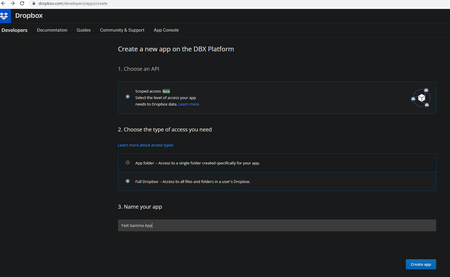
Started with a free Dropbox account that I setup an App for and was able to generate manual auth tokens to access it using the Dropbox .Net API. Everything worked as expected with App API "Root" acc...
- 2 years ago
Hi sbrownnw,
sbrownnw wrote:...
No matter which App I use (the previous free App or the new Full Dropbox access App), when I generate a token manually under that app, my default user folder is always treated as "root" as circled below: ...
No you have a wrong assumption! Dropbox application always gets access to users home directory by default (if nothing else has been set), wherever it is. The same is valid starting from individual free, paid,.. up to advanced plan - always the same. The difference is that for all individual plans home folder coincide with the account root, but for Business plans it's not always true (as shown on the examples you provided). In some cases user folder appear a subfolder of the root and in such a case you only have access to this folder, but not to the others subfolders of the root - by default.
To get access to there you have to change the default namespace (home) in use to the root one. For more info about namespaces nature and management take a look here. In DotNet environment you can use something like following to do the described in referred help article:
client = client.WithPathRoot(new PathRoot.Root(account.RootInfo.RootNamespaceId));Hope this helps.

Здравко
2 years agoLegendary | Level 20
Hi sbrownnw,
sbrownnw wrote:...
No matter which App I use (the previous free App or the new Full Dropbox access App), when I generate a token manually under that app, my default user folder is always treated as "root" as circled below: ...
No you have a wrong assumption! Dropbox application always gets access to users home directory by default (if nothing else has been set), wherever it is. The same is valid starting from individual free, paid,.. up to advanced plan - always the same. The difference is that for all individual plans home folder coincide with the account root, but for Business plans it's not always true (as shown on the examples you provided). In some cases user folder appear a subfolder of the root and in such a case you only have access to this folder, but not to the others subfolders of the root - by default.
To get access to there you have to change the default namespace (home) in use to the root one. For more info about namespaces nature and management take a look here. In DotNet environment you can use something like following to do the described in referred help article:
client = client.WithPathRoot(new PathRoot.Root(account.RootInfo.RootNamespaceId));Hope this helps.
About Discuss Dropbox Developer and API

Explore Dropbox Developer & API discussions with developers like you.
The Dropbox Community team is active from Monday to Friday. We try to respond to you as soon as we can, usually within 2 hours.
If you need more help you can view your support options (expected response time for an email or ticket is 24 hours), or contact us on X, Facebook or Instagram.
For more info on available support options for your Dropbox plan, see this article.
If you found the answer to your question in this Community thread, please 'like' the post to say thanks and to let us know it was useful!


