Our Community is in read-only mode until April 8th, learn more here. You can still search existing threads or get help via Dropbox Support, the Dropbox Help Center, or Learn.
Forum Discussion

Ed Dropbox Staff
8 years agoDropbox StaffThings you can do with Dropbox Paper
1. Holding brainstorms
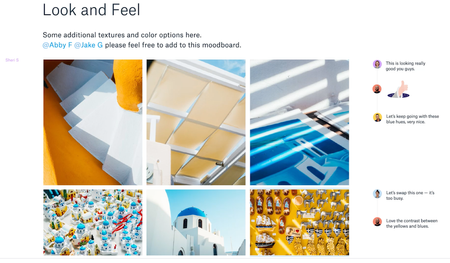
You’ve likely participated in your fair share of brainstorms, but what happens when your team is scattered across three offices and three time zones? Paper is designed to h...

buffywan
6 years agoHelpful | Level 6
Hi Fiona, First of all, thanks for helping me so much today. I am familiar with creating a table and I used it as a spreadsheet to contain some data.
I am just curious how does one use a table to group important items from a meeting? How would the information look like in the table?

FionaDropbox Staff
6 years agoDropbox StaffHappy to help! :innocent:
You are giving me a great opportunity to share Dropbox Paper templates page you can use! We have it all ready and organized here:
https://www.dropbox.com/paper/templates/
:heart: I use them all the time! Go ahead and use these.
You can also templatize your own Paper docs. Meaning copy them.
Here is a presentation of this functionality: https://blog.dropbox.com/topics/product/dropbox-paper-templates
I am sure your work will become easier with these Dropbox Paper features. :grinning: Mine is.
Can't wait to get your feedback!
About Dropbox Tips and Tricks
Find helpful advice and smart ways to get more out of Dropbox.473 PostsLatest Activity: 2 years ago
The Dropbox Community team is active from Monday to Friday. We try to respond to you as soon as we can, usually within 2 hours.
If you need more help you can view your support options (expected response time for an email or ticket is 24 hours), or contact us on X, Facebook or Instagram.
For more info on available support options for your Dropbox plan, see this article.
If you found the answer to your question in this Community thread, please 'like' the post to say thanks and to let us know it was useful!


