Your workflow is unique 👨💻 - tell us how you use Dropbox here.
Forum Discussion

ManojDB
1 year agoExplorer | Level 3
Cannot Redirect to UWP application with custom URI
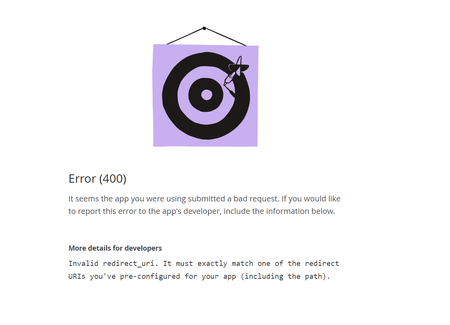
Hi team, We initially implemented the WebView in the Xamarin application for all platforms; it initially worked well, but now that the support for WebView is deprecated, we are unable to use the Web...

Greg-DB Dropbox Community Moderator
1 year agoDropbox Community ModeratorCan you share the full URL of the page displaying that error message? That would help for debugging this.
 ManojDB1 year agoExplorer | Level 3
- Greg-DB1 year ago
Thanks for sharing that. From your earlier screenshot, I see that the app is registered for the redirect URI "dbssample://LoadPDFFromURL.UWP/", however in the 'redirect_uri' parameter in this authorization URL, I see that you're using "dbssample://loadpdffromurl.uwp/".
Those values need to be exactly the same. So to address this, either update your app to use "dbssample://LoadPDFFromURL.UWP/" in the authorization URL, or register your app for "dbssample://loadpdffromurl.uwp/".
- Здравко1 year agoLegendary | Level 20
Greg-DB wrote:.... So to address this, either update your app to use "dbssample://LoadPDFFromURL.UWP/" in the authorization URL, ...
Haha... 😁 Greg-DB, can you post some example code doing that? 🧐
Dropbox .NET SDK won't let you. 😉 Take a look here.
By the way... URI components are case insensitive (or should be at least). That's why, .NET lowercase the URI, but Dropbox core seems ignore this! This is Dropbox BUG! 🙂
Let's hope this will be fixed soon.
Hi ManojDB,
In general it's bad idea to use mixed case URIs. By the way we are talking for URI here not for URL - another term mistake. In spite the check should be case insensitive, it's preferable usage of lower case letters as a URI or URL construct!
Instead waiting for Dropbox bug resolve, just make all your strings lower case everywhere. This will solve your issue. 😉
Hope this helps.

About Dropbox API Support and Feedback

Get help with the Dropbox API from fellow developers and experts.
The Dropbox Community team is active from Monday to Friday. We try to respond to you as soon as we can, usually within 2 hours.
If you need more help you can view your support options (expected response time for an email or ticket is 24 hours), or contact us on X, Facebook or Instagram.
For more info on available support options for your Dropbox plan, see this article.
If you found the answer to your question in this Community thread, please 'like' the post to say thanks and to let us know it was useful!


