Your workflow is unique 👨💻 - tell us how you use Dropbox here.
Forum Discussion

ERS R.
9 years agoExplorer | Level 3
Upload file doesn't open
I am trying to upload an .xlsx file using VBA. The upload seems to work and the file appears in dropbox, but it will not preview and once downloaded, will not open in excel. I compared the original...
 9 years ago
Try this instead? I have a suspicion that returning a String is the issue... the upload sees a string and tries to encode it as UTF-8, leading to the changes to the content making the file unusable. I don't think I've ever used VBA before, so this is code adapted from the web that I have not tested yet. Apologies if there are mistakes!
Private Function ReadBinary(FileName As String) As Byte()
    Dim f As Integer

    f = FreeFile
    Open FileName For Input Access Read As #f
    ReadBinary = InputB(LOF(f), f)
    Close #f
End Function

ERS R.
9 years agoExplorer | Level 3
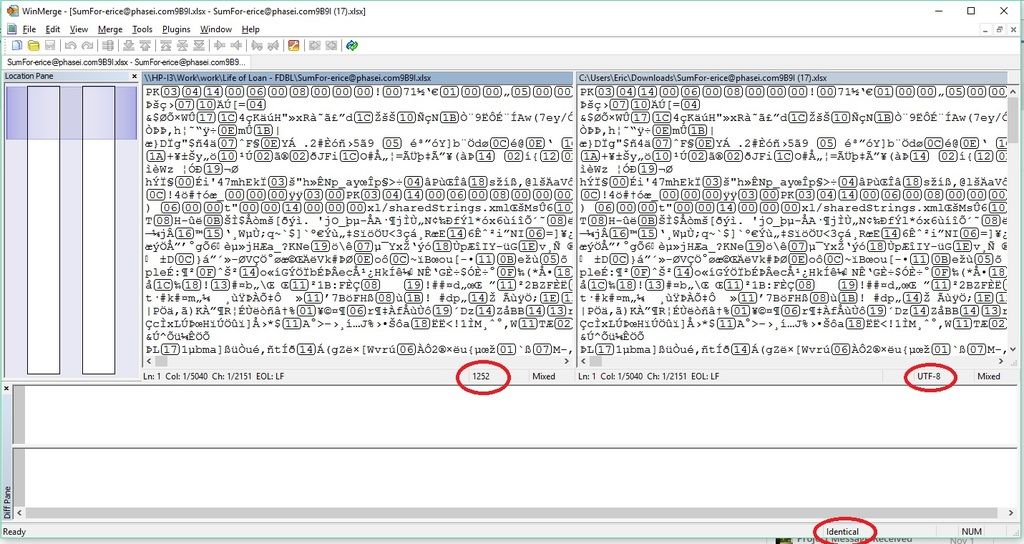
Best answer I can give is this:

Greg-DB Dropbox Community Moderator
9 years agoDropbox Community ModeratorI can't speak to how WinMerge does encoding detection, but it does seem the files are identical, so it seems the Dropbox upload/download worked correctly. Does the original file work correctly in Excel?
- ERS R.9 years agoExplorer | Level 3
Original file opens in excel. Original file when uploaded to dropbox manually (not using API) will preview in dropbox and when downloaded, will open in excel.
API uploaded file does not preview. Manually downloading API uploaded file will not open in excel.
- Steve M.9 years ago
Dropbox Staff
Is "ReadBinary" something you wrote yourself? I can't seem to find a definition for it. If you could either share the code or point to the documentation, that would help.
(This sort of error is typically caused by decoding or encoding the file wrong, so I wonder if ReadBinary is doing something incorrectly.)
- Steve M.9 years ago
Oh, sorry, I see that you already included ReadBinary. :-) Sorry!
About Dropbox API Support and Feedback

Get help with the Dropbox API from fellow developers and experts.
The Dropbox Community team is active from Monday to Friday. We try to respond to you as soon as we can, usually within 2 hours.
If you need more help you can view your support options (expected response time for an email or ticket is 24 hours), or contact us on X, Facebook or Instagram.
For more info on available support options for your Dropbox plan, see this article.
If you found the answer to your question in this Community thread, please 'like' the post to say thanks and to let us know it was useful!


