Our Community is in read-only mode until April 8th, learn more here. You can still search existing threads or get help via Dropbox Support, the Dropbox Help Center, or Learn.
Camera uploads
15 Topics
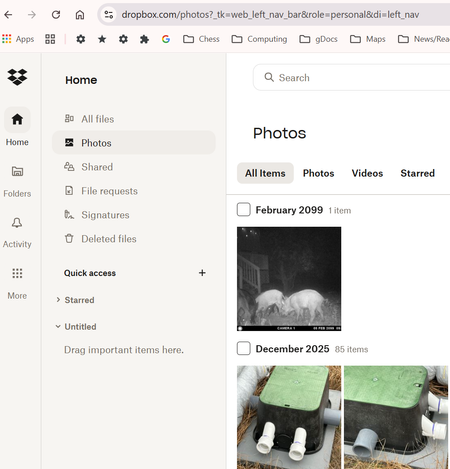
Photos tab in Dropbox online contains bookoo pics from way back.
I was surprised to find that the Photos tab in Dropbox online (i.e. at Dropbox.com) contains bookoo pics from wayyyy back. I've always deleted pics from the iPhone after naming and saving the ones I want to keep on my PC (in Dropbox folders of my own (conscious) creation). In Dropbox it says, "Camera uploads is turned off." Don't believe I've ever intentionally told Dropbox to save all photos.129Views0likes4CommentsPhotographs that are NOT mine in Dropbox - and NOT as a result of using a shared computer!
Hello, I have discovered a folder in my Dropbox entitled 'Camera Uploads' which is full of hundreds of photos and videos that are not mine. The files are dated from August 2012-November 2013 (which by coincidence is likely to be around about the same time that I set up my Dropbox account). I have not had reason to look in the folder before as I thought it was simply a default folder that Dropbox created on signup. At first I thought perhaps the folder had been shared with me accidentally but it turns out it is not a shared folder and Dropbox is telling me that the files were uploaded 'by you' (i.e. me!). Having searched the Dropbox community threads and Google I found someone who had a similar issue and one of the possible reasons given in the thread was that perhaps the user had used a shared computer in the past and left themselves signed into Dropbox and then someone else's phone photos were auto-backed up when they connected. I do not believe this to be the case for me. The reason being is that I looked through all the photos and videos to try to decipher if I knew the owner. I did not. However, one of the photos displayed a gig ticket stub which displayed the surname of the person who bought it - and lo and behold it happens to match my surname. This all seems to point to a scenario where someone with the same name as me was somehow able to sign in to my account and use it to back up their files. Can anyone (at Dropbox or otherwise) explain how this could possibly have happened? This is surely a security issue. The reason I was poking around in the folders is because I was preparing to start using Dropbox for my business needs but this issue has alarmed me and I now have strong doubts about the security of Dropbox, especially for sharing/storing confidential business files. BTW I have now changed my password and I was tempted to delete the folder but I feel kind of bad that I now have someone's personal photos (pics and videos of their kids in the school play etc.). I have tried to get in touch with someone at Dropbox but I currently have the basic free account and my options are limited to a chatbot or this forum (another turnoff - I hate when companies make it impossible to contact them!). Hoping you can help! Thanks, Nat9.2KViews0likes57Comments
Automatically move files from "camera uploads" to other folders
Hello everyone, I have 4 people in my family that constantly take pictures. I have an iCloud + account so that I can make backups of all our iPhones and iPads. Problem is that it is out of storage space and I don't want to pay for another subscription. Now I know that I am able to use the "Camera Upload" feature. However, all pictures from each device ends up in the folder "Camera Upload". I read that I have to physically go in the the Camera Upload folder and sort out each photo and transfer them to a folder that I create. Is there anyway to or trick to move the files automatically when they are being transfered from the iPhone to DropBox?Solved1.6KViews0likes5Comments
Managing an external APFS Apple external drive with Dropbox.
I have connected an APFS Apple external drive to my MacBook Pro and chosen certain folders to be synced with DropBox. I do not need to upload anything else on my MacBook, because I am synching with iCloud. 1. Will DropBox keep these folders/files up to date, because I rename them on my external drive on a regular basis? 2. After connecting my iPhone 13 and iPad, Dropbox wants me to upload stuff, but I only need these mobile devices to access what my external drive uploaded to DropBox. There is no direction in using DropBox on these mobile devices. HOME view gives me info that I do not require. FILES wants me to upload, but I only need access what is on DropBox. PHOTOS also wants me to upload and no options to cancel this. ACCOUNT confirms that a percentage of my storage is on DropBox. I cannot navigate to. 3. I have a new DropBox account now, but before I have been using Dropbox for many years. With this new version I need some help in navigating, so that I simply Sync my external drive AND only access this DropBox info from my 2 mobile devices. Many thanks for your help in advance 🙂 3. If I access a DropBox file on my Mobile device, I would simply download it for my purpose.1.9KViews0likes11Comments
Can photos I delete from my phone automatically be deleted from Camera Uploads too?
My iPhone photo library is automatically backed up to my Dropbox (which is great) but I find myself having to frequently manually delete photos previously uploaded to Dropbox when I delete them from my iPhone. Is there an option where this can be done automatically? It's easy to accumulate thousands of photos that I no longer need backed up on Dropbox (such as screenshots) and manually deleting them can be very time consuming. Ideally there should be a rclone type synchronization feature added to the the Dropbox iPhone app. Thank you.1.1KViews0likes3Comments
"Save HEIC photos as JPG" not working
Hi All. I often send pictures from my iphone to my dropbox using the dropbox iphone APP. When uploading there is an option to "save HEIC Photos as JPG". Unfortunately for me this option never worked. When a photo on the iphone was edited, it is always uploaded by the dropbox app as HEIC even though the option to save as JPG is checked. It has been like that for as long as I can remember. I'm using an iphone 11pro max with the latest IOS and Dropbox app.5KViews0likes13Comments
Can I delete the photos both from my phone and Dropbox at the same time?
Hi Folks, My Android phone (Google Pixel 7) has Dropbox installed and when I take a photo it automatically uploads to Dropbox (I have a personal Dropbox Plus account). I normally take lots of photos and then delete the ones I don't need/want using my phone. This deletes the photo on the phone but does not delete it in Dropbox. Similarly, if I delete it in Dropbox it doesn't delete the photo on my phone. So currently I have to go through and delete them twice - once on the phone and again on Dropbox. Is there a way of syncing the two (as it does on my PC) where any deletions are replicated regardless of whether I use the phone or Dropbox to delete them? TIA Keith1.2KViews0likes5Comments
How to stop my phone from backing up all my photos on my phone note 9 samsung
I cant find an answer on how to stop my Samsung note 9 phone from backing up all my photos to drop box . I clicked the wrong button when transferring a photo now all photos go there......I have them backuped somewhere else Can someone help me. I have to go and delete them daily as they take up all my spaceSolved1.7KViews0likes4Comments