Need to see if your shared folder is taking up space on your dropbox đšâđ»? Find out how to check here.
Dropbox Dash
3 TopicsWant to get started with Dropbox Dash?
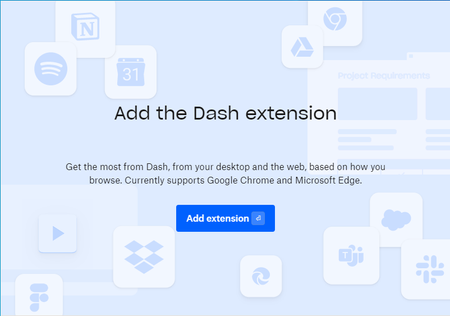
You might have heard us mentioning the new and fantastic Dash, and if not, you can learn about it here. But just so you know whatâs going on, Dropbox Dash is AI-powered universal search that connects all of your tools, content, and apps in a single search bar. We want to make sure folks can sign up for the Dropbox Dash beta and try it out. With that in mind, we chatted to our in house Dash expert James, and he shared how to make sure your set up is perfect first time around. The Dash extension is helpful when you use it on Chrome or Microsoft Edge, but some folks have been getting a little stuck here: I canât add the Dash browser extension. How can I solve this? If youâre seeing this screen and clicking âadd extensionâ isnât working, it might be because you donât have Chrome set as your default browser. This isnât to say you canât have multiple browsers in use on your computer, but to finish the installation you will need to: Ensure that Chrome is your default browser Force quit the installation and restart the computer Run installation again Now you can set whatever you want as your default browser but whenever you use Chrome you will have access to Dash, and all of the very helpful AI abilities that come with it. And if you need any help, you can head to dropbox.com/support/email and select Dropbox Dash from the dropdown menu. Let us know how you get on!5.8KViews3likes4CommentsDropbox updates to start your 2024 on the right foot
This has been a busy year for everyone, and as we gear up for a fresh start in 2024, I wanted to share some tips on how to kick off the new year on the right foot by using the full power of Dropbox. Whether you want to work on being more organized, your productivity or you want to use AI to make your life easier, weâve got something for you. And, we want to know how you used Dropbox this year too, so we can share the right kind of tips and tricks with you! Getting started with Dropbox: If you haven't jumped on the Dropbox train yet, now is the perfect time! Setting up an account is a breeze, and there are even more useful tools included in your plan, so you can get everything set up, signed in and ready to hit the ground running in 2024. The new Essentials plan is really exciting, with 3TB of space, large file delivery up to 100 GB, 180 days to restore deleted files, PDF editing, video editing, unlimited signature requests and more. Of course, if you are interested in collaborating with other folks, you might need a team account, so check out the plans here. Once youâre set up with an account, you can watch a tutorial on getting set up over on our learn library. Also, we have shared a lot of tips and tricks, from how to use Paper, using Dropbox to do research, all the way up to Dropbox Dash. So, why not have a look around the Community and get involved? Use AI to stay organized - let Dash do it for you 2024 is the year of using tools that make our lives easier, and Dash does just that! If you ask Dash a question, Dash will gather and summarize relevant info from your apps, files, and content to help find the answer. Itâs not just for appsâsearch your entire desktop in seconds with Dash, including all those open browser tabs, your calendar, emails, and more. It works wherever your content lives, so you can search across every surface in a few clicksâfrom connected apps to emails, and much more. Beyond just personal organization, Dropbox Dash interacts with the tools you use every day: Google Workspace, Microsoft Outlook, Salesforce, Notion, and many more. Use one search bar to search every connected app at the same time, rather than splitting your effort or jumping from page to page. When it comes to starting each day right, you can see your whole day at a glance really easily (I love this feature). Keep your work day in one central page with Dash, from what meetings to attend, what files youâll need, and which projects to prioritizeâall in one distinct tab. Get started with Dash now so youâre ready for 2024. And if you want to know more about Dash, you can check out our AMA where Geoff Hulten answered Community questions about Dash, future plans and features, or join the Dash group right here on the Community. Collaboration made easy: Chances are, youâre planning for next year. Whether youâre working, youâre in school, or you have personal projects lined up, and unless youâre a true jack of all trades, you will likely need to collaborate with other people. Well, we can make sure thatâs smooth sailing. If you are working with a team, and want to collaborate in real time, Dropbox Paper is a great place to start, and to make that even easier, here are some Dropbox Paper tips, and here are just a few examples of Paper templates to kickstart your next project: Meeting agendas Project plans Creative briefs You and your team can keep everything you need in a single location, so youâre not spending time looking for files, all your energy can go into your project, and coming up with the next best thing. Dropbox for mobile: Life doesn't always happen at your actual computer, right? But we almost always have our phones on us, and with the Dropbox mobile app, you can access your files on the go. Capture those spontaneous moments, review documents, and stay connected with your digital life, all from the palm of your hand. With the Dropbox mobile app you can do so much, including: Access all your Dropbox files and folders Upload files and photos to Dropbox Browse and preview files in Dropbox Use third-party apps to open and edit files Take photos and videos using your built-in camera and save them directly to Dropbox Make important files available for offline access Share your files with links So, are you ready to step into 2024 with a new system to make your work smoother and your day clearer? And of course, these are just our ideas, weâd love to hear yours! Share your thoughts, tips, and success stories below. Here's to a fantastic and organized 2024! đ10KViews5likes0CommentsCommunity Member of the Month - November 2023
Well, here we are at the end of the month, and as we strike another 30 days of the calendar and move closer to 2024, weâre delighted to be able to name this year's penultimate Community Member of the Month đ We have to say, it has been another fantastic month on the Community with lots of members going above and beyond to help make this a great place with willing helpers around every corner. So, kudos to everyone who got involved this month, you are all awesome đ Most of the time, the people who catch our eyes are on here helping other Community members, but this month, we wanted to share how our Community members helped us. We hosted our first ever Ask Me Anything on the Community with some of the Dropbox Dash team members and we got some really great responses with awesome question and feedback. We asked and you delivered, especially KevinLeeC who we are delighted to say is Novemberâs Community Member of the Month đ So, a huge thank you to Kevin, your contributions about speeding up workflow and Optimal Character Recognition for PDFs were a hugely valuable part of our Ask Me Anything and could help to mould Dropbox Dash as it moves through the beta testing phase and beyond. Hopefully, weâll see a lot more of you on the Community in the future!1.4KViews3likes2Comments