Our Community is in read-only mode until April 8th, learn more here. You can still search existing threads or get help via Dropbox Support, the Dropbox Help Center, or Learn.
Third Party Integrations
113 Topics
idlk files from Adobe InDesign are blocking the syncing of the desktop app.
When you edit Adobe InDesign files (.indd) in a Dropbox folder, InDesign automatically creates a temporary lock file with the extension .idlk. This lock file signals to other users that the file is currently being edited. The problem: Dropbox tries to sync these .idlk files, which can lead to various errors: Sync conflicts and duplicate files Error messages like "File is being used by another program" Endless sync loops Blocked synchronization of the entire folder Why Does This Happen? InDesign creates the .idlk file when opening a document and only deletes it when closing. While the file is open: The .idlk file is locked by InDesign Dropbox cannot read/synchronize the file Dropbox reports a sync error Other files in the same folder may also become blocked What Dropbox Is Missing: A Real Solution Currently, Dropbox offers no practical solution for this problem. The only official method is manually setting Extended File Attributes via command line – for each individual file. With dynamically generated files like .idlk, this is simply not feasible. What we need: A native file exclusion filter directly in Dropbox, such as: Global pattern filtering – Exclude file types like *.idlk, *.tmp, *.lock across the board A .dropboxignore file – Similar to .gitignore, with wildcard support and recursive application to all subfolders UI integration – Settings → "Exclude file types from sync" Git has elegantly solved this problem for decades with .gitignore. A simple text file with: *.idlk *.tmp .DS_Store ...and all matching files are automatically ignored, in all subfolders, without any manual intervention. The Community Has Been Waiting for Years In the Dropbox forum, there have been threads for over 5 years with thousands of votes and hundreds of comments requesting exactly this feature. So far without any response.187Views0likes3Comments
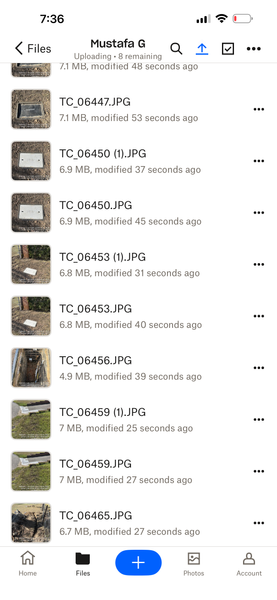
Photos upload to Dropbox as duplicates with ‘1’ added to the image title
I’m using an iPhone 15 Pro Max. When I upload photos I take with my phone, duplicates are created. This didn’t happen before. I turned on the ‘Upload directly from Camera’ mode, but later turned it off. Since then, duplicates have started appearing. I upload each photo manually.”122Views0likes5Comments
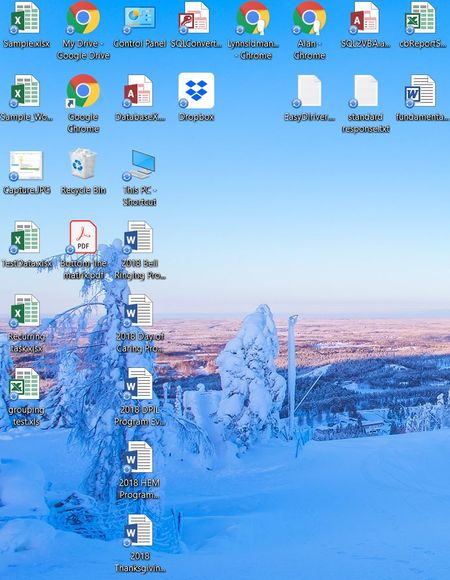
Blue sync icons appear on my Windows 10 desktop
On occasion, blue sync icons will appear on files and shortcut links that are located on my Win 10 Desktop. None of the files are related or stored in Dropbox. What is causing this. The only way to remove them is to reboot my machine. Any idea what is causing these sync issue to appear.Solved15KViews0likes4CommentsUploading albums from Apple Photos to Dropbox for back up.
I am trying to sort out cloud storage for my photos. They are on Apple Photos on a Mac running Sierra 10.12.6. I already have an external harddrive on which they are regularly backed up. What I want to do is copy all of my photos and videos and have them on a cloud. I want to export them in albums/ year groupings and I don't want the "library" to transfer to dropbox as I know that doesnt work and can lead to photo loss. I want to keep all of the original Photos library on my desktop. What Ive been doing is creating albums in Photos, selecting then dragging and dropping into folders I have created in Dropbox in my finder on my Mac. Does this just copy them or am I moving the original from the Photos library to the Dropbox? I don't like the way ICloud works so I'm trying to find a solution for that unlikely but possible total failure of local harddrive and local backup. I also want the possibility to delete things locally but still have a backup if I've messed up. Thanks for any insights KateSolved24KViews0likes10CommentsPhotoshop won't save for web unless Dropbox Desktop & Documents backup disabled
This issue affects Adobe Photoshop and the Dropbox backup features on Mac Big Sur. When the Desktop and Documents are selected as Personal backup folders, it seems to mess up the Adobe permissions, so that the Save for Web option in Photoshop doesn't work. Only when you deselect the Desktop and Documents backup options do the permissions reset. Not sure if this is a Dropbox problem or Adobe problem. I found the solution in the Adobe forums here: https://community.adobe.com/t5/photoshop-ecosystem-discussions/p-save-for-web-error-a-write-permissions-error-has-occurred-photoshop-22-1-1/m-p/11747734 Would be good if we could fix this so I can continue to back up my Desktop and Documents folders.6.6KViews2likes9CommentsI can't link my Yahoo mail to Dropbox
I Can not link my Yahoo mail to dropbox . Yahoo have removed the upside down v (next to the Attachment icon) that gave the option to Share from Dropbox . Does Dropbox now not support Yahoo mail or am I doing something wrong. Thank you for any help.Solved28KViews2likes20Comments
How to autosave an Excel file to Dropbox every 10 min?
I just spent two hours on an excel file only to have excel crash before i saved it and lost my work. I am using MS Excel 97-2004 on a MacBook Pro and right now have to manually save all work. How can I set up MS Excel/Word/PPT to auto save every 10 minutes to my Business's Dropbox account? I want to be able to work without having to manually save my file every few minutes. Thanks.Solved35KViews1like22Comments
FTP server setup in Dropbox. How to set-it up?
Hello All, I have a remote camera at my cabin in Tennessee, it is accessible through an app and is always on. The camera typically senses movement will snap 3 pictures and upload/email them to my gmail account. However gmail has changed access using 3rd party apps and I can no longer receive the pictures. I was told I can setup dropbox as an FTP server and my camera will upload to my dropbox, all videos and pictures. Is this possible? and if so, would anyone have a step by step to set this up? Thx for the helpSolved5.8KViews0likes4CommentsThe Requested Operation Couldn’t Be Completed error - Dragging & Dropping into Files app on iPad
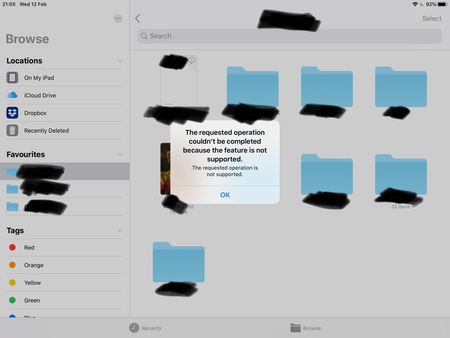
Dragging and dropping error using the stock files app on iPad OS (13 latest) with the latest version of Dropbox installed. Each time I try to drag and drop a file using the files app I'm greeted with an error message: The requested operation couldn't be completed because the feature is not supported. Any ideas to fix it? Or is it just another Dropbox issue that won't ever get addressed like the missing favourites bug? Note, dragging and dropping works flawlessly using Google Drive, One Drive, iCloud etc. I've tried removing and redownloaded Dropbox etc.9.1KViews2likes26Comments- 28KViews0likes3Comments