Our Community is in read-only mode until April 8th, learn more here. You can still search existing threads or get help via Dropbox Support, the Dropbox Help Center, or Learn.
Third Party Integrations
34 Topics
Dropbox authentication error with UpdraftPlus from Wordpress
I have been using the Remote Storage option from within the UpdraftPlus plugin in Wordpress to keep backups on my dropbox account for several years. After moving my website to a new provider, the upload to dropbox stopped working. I checked that the connection to Dropbox is set up correctly by removing the settings for Dropbox and reauthentication. I can access and download from Dropbox old backups in the plugin without problems. But any attempt to upload files fails. The following error is returned: 0020.397 (0) Dropbox: Attempt to upload: backup_2020-05-14-1059_MyWebsite_5b250aabb84c-plugins.zip to: backup_2020-05-14-1059_MyWebsite_5b250aabb84c-plugins.zip 0021.240 (0) Dropbox chunked upload: 6.2 % uploaded (AAAAAAAAE7XIXgypxcVeOA, 1048576, 9216 KB) 0023.780 (0) Dropbox chunked upload: 61.6 % uploaded (AAAAAAAAE7XIXgypxcVeOA, 10485760, 10240 KB) 0025.721 (0) Dropbox chunked upload: 100 % uploaded (AAAAAAAAE7XIXgypxcVeOA, 17034343, 10240 KB) 0025.766 (0) Dropbox: chunked upload exception (Dropbox_BadRequestException): (line: 225, file: /home/MyWebsite/wp-content/plugins/updraftplus/includes/Dropbox2/OAuth/Consumer/Curl.php) 0025.767 (0) An error condition has occurred for the first time during this job It appears upload is started correctly and runs up to 100% but then does not complete or fails with some form of authentication. This problem occurs repeatedly and identically for every upload.Solved6.5KViews0likes14Comments
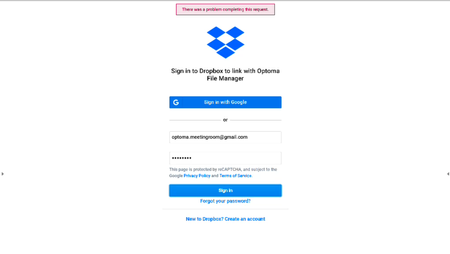
Sign in - There was a problem completing this request (Android Device)
I can't sign in to dropbox on my Android device. I can sign in through the browser no problem, but on Android App embeded browser(WebView) I always get the message "problem completing request" as shown in the attached screenshot(In April, it was no problem). I am using Android 8.0. I had test on Macbook (Chrome & Safari) successfully. I am using this url on browser https://www.dropbox.com/1/oauth2/authorize? client_id=xxxxxxxxxxxx& response_type=code& redirect_uri=https://www.localhost.com& state=xxxxxxxxxxxxxxxxxxxxxxxxxxxxxxxxxxxxx Can anyone help me successfully sign in? Thanks in advance!Solved4.5KViews0likes5CommentsI'm integrating Dropbox with RStudio on an Azure Virtual Machine and need help to set it up
With the library from https://github.com/karthik/rdrop2 I can easily integrate Dropbox with my local PC installation using RStudio. However, I have my RStudio which is on Azure Virtual Machine, and when I issue the same commands, it has error. Azure Support engineer asked to me find out what is the Public IP address for Dropbox, and ask me to ping that IP address Can anyone quickly tell me that?2.1KViews0likes4Comments
Installing Dropbox Integration
Hi, I successfully installed jitsi on a self-hosted server, however, the Dropbox integration does not work. I've created the project and the key in Dropbox and put this to /etc/jitsi/meet/meet.webconf.cloud-config.js: dropbox: { appKey: 'XXXXXXXXXXXXXXXX' // Specify your app key here. }, five nights at freddy's However, no registration option appears in the video conference. What am I missing? Thanks1.3KViews0likes1Comment
Freenas won't connect
I have tried to log into dropbox account on my freenas server but I get the following error Error: 2020/07/10 16:47:29 ERROR : : error listing: Post https://api.dropboxapi.com/2/files/list_folder: dial tcp: lookup api.dropboxapi.com on [::1]:53: read udp [::1]:51282->[::1]:53: read: connection refused 2020/07/10 16:47:29 Failed to lsjson with 2 errors: last error was: error in ListJSON: Post https://api.dropboxapi.com/2/files/list_folder: dial tcp: lookup api.dropboxapi.com on [::1]:53: read udp [::1]:51282->[::1]:53: read: connection refused Any ideas1.3KViews0likes1Comment