We’re Still Here to Help (Even Over the Holidays!) - find out more here.
preview
1067 Topics
Pdf not opening in Adobe when using Dropbox online
I have installed adobe acrobat reader DC, linked my dropbox account to it, and change the default program to open pdf files to adobe, but when I try to open a pdf from Dropbox online, it still opens in my edge browser (windows 10.)Solved22KViews1like10Comments
What is the brown box icon on the left bottom corner of my files when using the desktop app?
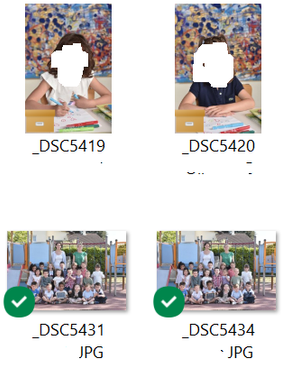
Hello, On several files, I have a brown icons in left bottom corner of my files.(see below) in fact, in the same folder, there are green logos on fils but sometime there are brown logo I want import this files in Lightroom but seem that files with brown logo can't be import. So : 1/ What mean brown logo ? 2/ How can I "fix" it to import files in lightroom ? Thank youSolved26KViews0likes21Comments
My files are available offline, but I can't open them from OneDrive.
Hello I really hope someone can help me with this! I had all of my files I Dropbox in the desktop app on my Microsoft (Windows 10) computer. I had chosen to save files online and not local due to the fact the my computer doesn’t have enough GB. I then choose to move to OneDrive (also in the desktop app) and just cut and pasted my entire folder with all of the folders and files in it. It then took a long time of course to move it all and now the desktop Dropbox folder is empty and everything should then be in the OneDrive desktop folder. OneDrive said that it was done syncing but when restarting the computer it continued. I have restarted the computer several times since yesterday and it happens every time. I had just about 200 GB worth of files in the Dropbox and everything is moved but only about 60 GB of the files can open in OneDrive and the rest of them is not able to open. I have googled and found out that this method can be used but I should probably have saved it to the local desk and not only as online files according to google. When I open Dropbox.com now I see my files and I tried to download one folder to the local desk as a zip file but it wasn’t able to open. Now I am really not sure what to do or how to get all of my files to OneDrive so I can open them all. As mentioned my local hard drive doesn’t have space for it all and on top of that I’m not sure if Dropbox has still saved all of my files online and if they are even saved there since I deleted them in the Dropbox desktop app. Dias anyone have a good advice and a solution for me so I will not loose any files? I am in the middle of an exam so it is very urgent. Thanks in advance!Solved25KViews1like5Comments
Why does my shared link preview like "scl" instead of "s"? Can I change that?
Hello. My question concerns my recent issue with file sharing. Usually, my links were generated in this way: 'https://www.dropbox.com/s/'. However, lately, every file is being generated in this way: 'https://www.dropbox.com/scl/fi/'. Do you know a way to restore the old way of generating links? I just need old way of links, because game can't read new links Greet 😛Solved104KViews14likes211Comments
select video keyframe
When video is uploaded and link is sent to client it displays a random frame somewhere in the middle of the video. It would be much better if we were able to select a frame or if that is to hard - display nothing at all. This issue often results in the receiving party frustrated over the frame they see first, which may be confusing or unappealing as a still image.61Views0likes2CommentsHow can I create a shared MP3 link that can be previewed on another site?
Simply, I want to share the file EM01.mp3 from my drop box to users of my website using Google Sites. I want the file to use this basic audio player: <audio controls> <source src="YOUR_DIRECT_ONEDRIVE_MP3_URL_HERE" type="audio/mpeg"> Your browser does not support the audio element. </audio> I am missing something. I can't seem to generate my direct onedrive MP3 url. I really appreciate your help. Thanks Rick36Views0likes2Comments
Large List no longer available?
Hello, I use Dropbox online (the web version, not the app version). I work under a business account (for my job), and generally, I would use the Large List option to view folders. We have far too many folders to use Grid or Large Grid, and the regular List option doesn't supply you with quite as much information as I would like (such as who uploaded the document/created the folder. Recently, the Large List option has disappeared entirely, leaving only Grid, Large Grid, and List. I asked, and our Dropbox plan has not changed. I use Windows and work on Firefox, if that makes any difference. Is there any way to fix this, or is Large List something that DB is doing away with? Grateful for any help! Thank you!Solved97Views0likes5Comments
How can I create a slide show using Dropbox?
A while ago, I made a slide show from a folder full of jpgs through dropbox, that I was able to email the link to people, I'd like to do it again. I don't remember how to though. Anyone know? Windows. Been using dropbox successfully for years.42Views0likes4Comments
When opening a file in Windows 11, there is no other option than 'this time only'
Integration Affected office Device hp laptop Operating System/Browser (if using the web) Windows 11 Question or Issue everytime I open a file i get asked to select which program to open it with even if I have a program that is already associated with that file type (.DOC to Office Word). What makes the situation unbearable is that the only option I can select is use this program "this time only" so everytime I need to go through this again.Solved86Views0likes7Comments