2025 sparked some incredible conversations across our community 👩💻. Discover the highlights and see what’s ahead in 2026.
restore
6 Topics
Missing my files and what can I do
One time I was looking for some files mostly pictures, and I couldn’t find them. I thought that dropbox deleted them. I have been reading other people’s comments and then I saw this page https://www.dropboxforum.com/t5/Dropbox-files-folders/Dropbox-deleted-all-my-files/td-p/263257 that was written by a dropbox person Jay. Bottom line: Dropbox does NOT delete our files. Only actions from us or people we share your files with can delete our files. If you joined a Business Dropbox the team admin maybe deleted your account from the team. They have just a few days to restore your account (here’s how https://help.dropbox.com/teams-admins/team-member/restore-deleted-users) and then they can convert it back to your personal one (here’s how https://help.dropbox.com/teams-admins/admin/delete-member). The ONLY time dropbox is involved in deleting our files is if our accounts are closed for being inactive for a year. On that note, Deleted accounts cannot be recovered (except for the Business ones as I mentioned above). This goes for accounts that were deleted for being inactive, and for accounts that we delete ourselves. They are GONE for ever! I have mentioned this before but the important thing to understand is that the changes you make to your account files in one location will also happen in all your devices that are linked. That’s what dropbox is all about, and it’s called Syncing. I wrote about this in a previous post here https://www.dropboxforum.com/t5/Dropbox-files-folders/Different-problems-online-with-the-website-usually-web-browsers/m-p/601129/highlight/true#M233395 If you want to get rid of the dropbox app on a computer (don’t do this until you read my other post here) or other device, you should sign out first. Here’s how: https://help.dropbox.com/accounts-billing/settings-sign-in/sign-in-out I’m not sure if it’s necessary but it would be a good idea to unlink that computer or device from your account too. Here’s how: https://help.dropbox.com/accounts-billing/settings-sign-in/device-list-remote-sign-out This also helps us that are on free accounts because we have a limit of 3 devices at a time. Here’s more details: https://help.dropbox.com/accounts-billing/settings-sign-in/computer-limit Then you can uninstall the desktop app with these steps: https://help.dropbox.com/installs-integrations/desktop/uninstall-dropbox Back on the deleted files thing, If you are missing files there are some things to check: Deleted files page https://www.dropbox.com/deleted_files. If you see your files here, you can use the Restore button to recover them. If you permanently delete files NOBODY can recover them. Also, deleted files are not counted against your space, so if you permanently delete them it will make no difference in space. Events page https://www.dropbox.com/events. You can see things like deletions, additions, and other events here. You can try to restore events and files here too. Shared page https://www.dropbox.com/share/folders. This is in case your files were shared and have been removed from your account. Make sure you are signed into the right account. Check your email address on the General page https://www.dropbox.com/account/general. If you aren’t seeing files between your computer, phone or website account, check the email address that you are signed in with to make sure it’s the same one. Make sure syncing is finished on your computers and phones On that note, if you are up to date and are sure you’re on the right account, and aren’t seeing files between your devices, check your files and folders names for characters that you shouldn’t use. Here’s a list https://help.dropbox.com/files-folders/sort-preview/file-names. This is usually the case when there is a Mac computer involved, but not always. If you are sure that you deleted files but you can’t find them in your Deleted files page, that means that you can’t recover them. The free accounts and the Plus ones, and I think the Family ones have 30 days to recover deleted files. If you upgrade to a plan that has a longer period for recovery it won’t work for the files that are over 30 days deleted because it starts at the time you upgrade. 😎1.3KViews0likes1CommentRestoring deleted files
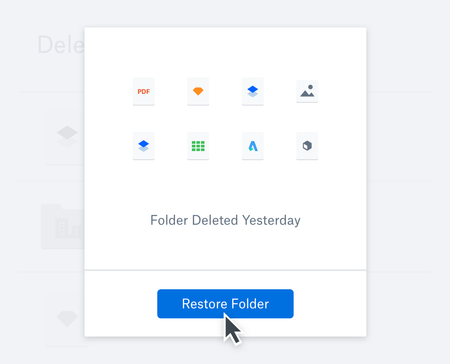
No matter how tech savvy, no matter how clairvoyant you are, we’ve all deleted a file we didn’t mean to, or discovered we weren’t quite finished with something yet, right after we clear it out. But luckily, Dropbox has you covered. If you’ve ever found yourself looking around the Dropbox Community for tips and tricks on how to restore your deleted files, we have a few helpful hints below. Whether it’s restoring files and folders that have been full on deleted, or rolling back your progress, or even restoring a lot of stuff at once, you won’t be Can I recover or restore deleted files from Dropbox? Yes. Dropbox saves all your lost files or work for 30 days (or longer for Dropbox Professional and Business users). You don’t need any external recovery tools, or even help from IT, you can recover your files with a few clicks. It happens to all of us, so don’t worry! How do I restore files I deleted on Dropbox? On dropbox.com, navigate to the Deleted files page, select the recoverable files or folders you’d like to recoup, and click restore. Easy! View your version history Even if you didn’t delete the whole file, but you made changes that need to be undone, just pull up your version history to undo changes and restore old versions of any file. No matter the file type, Dropbox saves version history for all your files. How does Dropbox Rewind work? If you have accidentally deleted more than a simple file or two, Dropbox Rewind might be the best thing for you. Dropbox Rewind works by reverting your folders or even your entire account back to a specific point in time in the last 30 days (or longer for Professional users)—restoring everything in your Dropbox account to what your file system looked like before your mishap. Note: Rewind is not available for Basic users, but you can still use the tips above. Now, no matter what the file is, you can know that it isn’t lost to the ether right after you click delete. Tell us about a time that you recovered a file and avoided a whole lot of trouble in the comments below 😃5.1KViews1like9CommentsAnca never needs to worry about losing files on a crashed computer again
Meet Anca, an online education designer who uses Dropbox so she never has to worry about losing files on a crashed computer again. This is Anca’s story… What brought me to Dropbox My forever love relationship with Dropbox started during my second semester of my master’s degree. I was enrolled in an online course that was saturated in essays, reports, and all sorts of assignments that needed countless days of research and writing. This major report was soon due, and I was juggling this assignment between a teething baby, 40 hours of work, family time, and some sort of social life that was very short, let me tell you. The due date was so close, and I was feeling the need to ask for an extension. We were allowed two breaks during the course and I had never asked for one. I finally gave in, knowing that I was not able to finish in time and the professor was gracious enough to give me not 24 hours, as I had asked for, but a 48-hour extension. Ecstatic about my extra time, I started plugging along and my 20-page paper was finally coming to its final edits. There was very little to do, and my baby needed me. By the time I came back, my computer screen was blue. I never thought this could happen to me. I saw a lovely blue screen and the news that came later was also very blue. All that work, saved only in one place, on my crashed computer! How I use Dropbox My lovely husband came up with a solution, to avoid ever losing a document again. He suggested I save everything on Dropbox. He told me I could work on essays from home or from work and it would all be saved in one place, with no chance of ever losing an essay due to a computer crash. My documents are now safely synced across all my devices. I do not have to track down my last draft. I know exactly where to find it. Tips for the community Plan out your folder structure. Create a consistent file naming pattern. Do you use Dropbox in a similar way? Have questions for Anca about their workflow? Reply below with your thoughts!2.8KViews1like0CommentsJamie saved days of time by storing video production files in Dropbox
Meet Jamie, Head of Post Production on a Video Production team. This is Jamie’s story… What brought us to Dropbox We had no way to share files easily, but needed to share files in the office between our machines, to our home machines or portable devices, and with clients and freelancers. We would spend days sending drives, or uploading zip files. It made versioning problematic. How we use Dropbox Setting up shared folders has been revolutionary. We can have one for clients, one for freelancers, and above all we can keep files on cloud or local depending on the machine. For every video production we set up a folder with a series of sub folders. Different users then choose which of those are cloud based or local. For film shoots an entire project can upload to Dropbox servers overnight. This means our decade old worry of keeping footage secure and off-site is solved with a simple drag and drop. The footage is distributed to key sites automatically for each freelancer to work on. The footage is in our master folder, which is then referenced by editors, motion graphics artists and composers. It’s all seamless and secure. Tips for the community: Undeleting has been a savior. Going online to past projects to unearth a crucial file has saved my skin a few times! Comments and collaboration are so handy if a client is viewing on the go. No matter how big your files are Dropbox seems to Hoover them up. No more FTP or file sharing websites! Keep as much as you can in Dropbox. It’s the safest place for your work. Do you use Dropbox in a similar way? Have questions for Jamie about their workflow? Reply below with your thoughts!2.8KViews1like0CommentsHow to restore a previous file version on Dropbox
With version history in Dropbox, you can access your file’s history and restore it to a previous version. Check out this video to see how it works :grinning: Want to learn more about version history? There is lots more great information over on our Help Center. 2.7KViews1like0Comments