Your workflow is unique 👨💻 - tell us how you use Dropbox here.
Forum Discussion

bbijals
8 years agoExplorer | Level 4
Chrome Extension "Download to Dropbox"
I have a Chrome extension developed using Angular JS and High Charts. I need a functionality to be added to upload files to dropbox from this chrome based app. I have written a code to authorize ...
- 8 years ago
2. Regardless of the type of app, the redirect URI would be the URI where you want to send the user back to after they approve your app to access their account. I can't offer guidance on how to build a Chrome extension in particular, but I know Chrome extensions sometimes use "chrome-extension://" URLs for their option pages, so you may want to look into that. I recommend reading the OAuth guide for context on how the flow works.
(Also, if you use the "code" flow, the redirect URI isn't strictly required. If you omit it, the user just needs to copy/paste the authorization code into your app.)
4. No, the user does not need to register their own API app. Your app uses its own app key to send them though the OAuth app authorization flow. I recommend trying the example to see how it works.
Production status just removes the limit on the number of users that can connect to your app.
In your code, you're attempting to make a GET request to the /oauth2/authorize page. You instead need to send the user to that page as a normal navigation operation. E.g., have them click on the link as shown in the example, or redirect them via JavaScript, such as using window.location.replace(url) or window.location.href.

Greg-DB Dropbox Community Moderator
8 years agoDropbox Community Moderator1. We don't have any specific resources for Chrome extensions/Angular JS in particular, but the API itself can be used anywhere you can make HTTPS calls.
2. The redirect URI for your app is specific to your app, and would depend on your app's setup, so I can't say off hand what it should be for your app.
3. While we don't have anything specifically for Chrome extensions/Angular JS apps, I do recommend using the official Dropbox API v2 JavaScript SDK if you can.
4. The API was designed with the intention that each user would link their own Dropbox account, in order to interact with their own files. To do so, the app should send each user through the OAuth app authorization flow in their browser. The result is an access token that the app can store and re-use to make further API calls for the user.
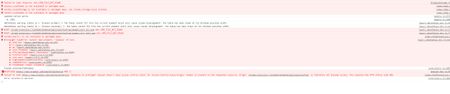
Looking at the error in your screenshot, it looks like you may trying to call https://www.dropbox.com/oauth2/authorize directly in your JavaScript code (e.g., via an AJAX call). That's actually a web page that the user should be directed to though, not an API endpoint.
You can find more information on how the OAuth app authorization flow works in the OAuth guide, and the documentation can be found here. There's an example implementation with the API v2 JavaScript SDK here.

bbijals
8 years agoExplorer | Level 4
2. Our app is not a hosted web application but a chrome extension based app and does not have the url of its own. In that case, what would be the redirect url or the domain?
4. I would like to rephrase my question. Currently I have used my own dropbox account to register the app onto dropbox. Do my all users will also have to register /create an app on to dropbox? What is Production status used for?
My code to connect to dropbox looks like this:
Please let me know what I am doing wrong here.
Regards,
Bijal
- Greg-DB8 years ago
2. Regardless of the type of app, the redirect URI would be the URI where you want to send the user back to after they approve your app to access their account. I can't offer guidance on how to build a Chrome extension in particular, but I know Chrome extensions sometimes use "chrome-extension://" URLs for their option pages, so you may want to look into that. I recommend reading the OAuth guide for context on how the flow works.
(Also, if you use the "code" flow, the redirect URI isn't strictly required. If you omit it, the user just needs to copy/paste the authorization code into your app.)
4. No, the user does not need to register their own API app. Your app uses its own app key to send them though the OAuth app authorization flow. I recommend trying the example to see how it works.
Production status just removes the limit on the number of users that can connect to your app.
In your code, you're attempting to make a GET request to the /oauth2/authorize page. You instead need to send the user to that page as a normal navigation operation. E.g., have them click on the link as shown in the example, or redirect them via JavaScript, such as using window.location.replace(url) or window.location.href.
- bbijals8 years agoExplorer | Level 4
Based on reply, I have done changes to my code and It is redirecting me to the dropbox login page. After I login, It prompts me to allow the app. Once I allow the app, It shows the authorization code on screen since I have used the code flow.
I wanted to use the token flow for authorization so that I can directly get the token. This is how I am building my url for the token flow:
var redirectUri = encodeURIComponent('chrome-extension://sdfsdsdfbohbmkkjdhmdhokipgllnasdfdsfsdfdsfipnfopjnng.chromiumapp.org');
console.log(redirectUri);
var auth_url = "https://www.dropbox.com/oauth2/authorize?client_id=" + client_id + "&redirect_uri=" + redirectUri + "&response_type=token";
When I allow the app, i get following message
When I click on 'Allow' on the above screen, I get another message "you will need a new app to open this chrome extension"
Is there a way to get the token back to the calling app which is a chrome extension?
- Greg-DB8 years agoUsing redirect_uri to set a redirect URI for the OAuth app authorization flow is the correct way to automatically receive the resulting code or token.
It looks like you already have that, and the Dropbox web site is serving the redirect requested. After that, the browser/computer/user is in control of what happens, e.g., what app/extension that goes to, if it's allowed, etc.
Unfortunately, since that part is not-specific to Dropbox and out of our control, I'm afraid I can't offer any specific help. You may want to refer to the documentation for Chrome extensions in general to see if/how you can receive a redirect into your Chrome extension.
About Dropbox API Support and Feedback

Get help with the Dropbox API from fellow developers and experts.
The Dropbox Community team is active from Monday to Friday. We try to respond to you as soon as we can, usually within 2 hours.
If you need more help you can view your support options (expected response time for an email or ticket is 24 hours), or contact us on X, Facebook or Instagram.
For more info on available support options for your Dropbox plan, see this article.
If you found the answer to your question in this Community thread, please 'like' the post to say thanks and to let us know it was useful!


