Your workflow is unique 👨💻 - tell us how you use Dropbox here.
Forum Discussion

namiqismayil
6 years agoHelpful | Level 5
Javascript SDK to authorize user and get access token
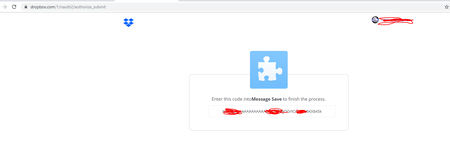
Hi, I am trying to get access token after Autharization. So on button click I redirect user to https://www.dropbox.com/oauth2/authorize?client_id=<APP_KEY>&response_type=code So user goes thro...

Greg-DB Dropbox Community Moderator
6 years agoDropbox Community ModeratorIf you're using the official Dropbox API v2 JavaScript to integrate with Dropbox in a JavaScript app, you should use the supplied 'getAuthenticationUrl' method to build your authorization URL, which will contain whatever redirect URI value you supply. There's a working auth example included with the SDK here. (Instructions for running the examples can be found here.)
On this line, you call the getAuthenticationUrl method, supplying what you want your redirect URI to be. It gives back the full /oauth2/authorize URL, which is where you should send the user. In the example it does so by giving them a link set to that URL so they can click on it. I expect you can alternatively just pass it to window.open though. That would look like:
window.open(dbx.getAuthenticationUrl(redirectUri));
Once the user authorizes the app, Dropbox will redirect them to the specified redirect URI. In the example, the access token is retrieved from the URL fragment here.
About Dropbox API Support & Feedback

Find help with the Dropbox API from other developers.
The Dropbox Community team is active from Monday to Friday. We try to respond to you as soon as we can, usually within 2 hours.
If you need more help you can view your support options (expected response time for an email or ticket is 24 hours), or contact us on X, Facebook or Instagram.
For more info on available support options for your Dropbox plan, see this article.
If you found the answer to your question in this Community thread, please 'like' the post to say thanks and to let us know it was useful!


