Our Community is in read-only mode until April 8th, learn more here. You can still search existing threads or get help via Dropbox Support, the Dropbox Help Center, or Learn.
Forum Discussion

amei
7 months agoExplorer | Level 3
Using javascript to download file from dropbox
I am creating a javascript routine that requires me to download and upload updated files in my dropbox app file folders which contains updated football picks. I am able to upload files to my app but ...

DB-Des Dropbox Community Moderator
7 months agoDropbox Community ModeratorHi amei
The response from 'filesDownload()' does not contain a 'fileBlob' property (which is why you are getting an 'undefined' in the error message). The response contains a 'fileBinary', which can be accessed as such: 'response.result.fileBinary'. Additionally, you can convert the returned Buffer to text or a string by invoking the 'toString()' method on the response. We would also recommend making that callback function an async function:
...
dbx.filesDownload({ path: dropbox_users_path_file })
.then(async (response) => {
  console.log(response.result.fileBinary.toString())
}
...
Similarly for the second function:
...
try {
  const response = await dbx.filesDownload({
    path: dropbox_users_path_file
  })
  console.log(response.result.fileBinary.toString())
}
...
In order to further assist with the file upload error, please provide the code snippet used to upload files to Dropbox. The screenshots provided are both for downloading files ('filesDownload()').
 amei7 months agoExplorer | Level 3
thanks for your assistance. I updated both functions as you suggested :
Still getting the same errors :
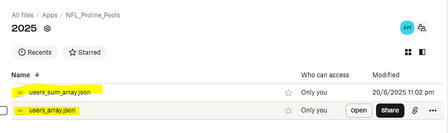
The jason file that I have uploaded from my upload function looks like this :
It is an array of football picks. So when I upload the files I used the JSON.stringify to save the array. When I open the jason file I see text, not binary characters. Not sure if this is the problem. Perhaps a text response would ? I need to download the file back into the array (what the file is currently saved as as shown above.
I should have included this info in my initial post. I hope this provides more clarity. thanks.
About Discuss Dropbox Developer and API

Explore Dropbox Developer & API discussions with developers like you.
The Dropbox Community team is active from Monday to Friday. We try to respond to you as soon as we can, usually within 2 hours.
If you need more help you can view your support options (expected response time for an email or ticket is 24 hours), or contact us on X, Facebook or Instagram.
For more info on available support options for your Dropbox plan, see this article.
If you found the answer to your question in this Community thread, please 'like' the post to say thanks and to let us know it was useful!


