Need to see if your shared folder is taking up space on your dropbox 👨💻? Find out how to check here.
Forum Discussion

GillW
5 years agoExplorer | Level 4
Corrupted Word Documents
I am at my wit's end! I didn't realise that DropBox would corrupt files. I now have several Word documents in a folder that I need for my course work assessment which are no longer Word documents a...


holpolshuf
2 years agoExplorer | Level 4
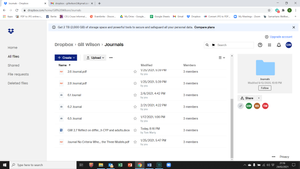
When I download the file, the preview is fine and I am able to open and save it to my Dropbox folder on my desktop. The corrupted Word and PDF documents all have x's in the lower left hand corner of the document in the folder. Do I just need to download all of the corrupt documents again? And why did that happen in the first place?

Megan Dropbox Community Moderator
2 years agoDropbox Community ModeratorHey @holpolshuf, do you use any other cloud services along with Dropbox?
This is a Windows icon and not a Dropbox icon. Keep in mind that while in File Explorer, a gray “X” icon can appear in a file or folder in your Dropbox folder sometimes.
It indicates that your file or folder may not be syncing with Dropbox.
To fix this, please try the steps in this article about fixing syncing issues in Dropbox. If that doesn’t fix it, you can also contact Microsoft support.
- holpolshuf2 years agoExplorer | Level 4
I sometimes use Google Drive, but none of the corrupted files are in Drive or came from Drive. There were no disk issues, so moving on to attempt all the other fixes.
About View, download, and export

Need support with viewing, downloading, and exporting files and folders from your Dropbox account? Find help from the Dropbox Community.
The Dropbox Community team is active from Monday to Friday. We try to respond to you as soon as we can, usually within 2 hours.
If you need more help you can view your support options (expected response time for an email or ticket is 24 hours), or contact us on X, Facebook or Instagram.
For more info on available support options for your Dropbox plan, see this article.
If you found the answer to your question in this Community thread, please 'like' the post to say thanks and to let us know it was useful!


