We’re Still Here to Help (Even Over the Holidays!) - find out more here.
Forum Discussion

bersona3
2 years agoExplorer | Level 3
All files are missing from my account.
Hi! I'm running into trouble with my account. I just signed in to access my older files (I have had a Dropbox account for around 10 years now, though I have never been on anything above the free plan...

bersona3
2 years agoExplorer | Level 3
Hey Walter, thanks for the reply.
The files were definitely on my account when I last signed in, which would have been in December. Some of these files had been on the account for over 10 years, they were 100% uploaded. The notifications for the account mention being low on storage space, so I absolutely had files stored... They've just all vanished without warning.

Walter Dropbox Community Moderator
2 years agoDropbox Community ModeratorThanks for the additional information @bersona3
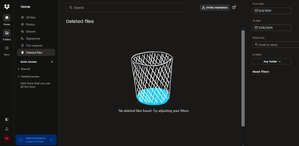
Since you made sure that you're looking at the correct account and since there's no file activity showing in your events page and you can't find those files in your deleted files page, the Sharing tab and/or your backups page, I'm afraid we won't be able to help much from our end.
That said, if you'd like to have a further look internally, please let me know and I'll reach out via email to investigate further.
- bersona32 years agoExplorer | Level 3
Thanks for the reply. I would love if you could reach out via the email for further investigation, thanks so much.

About Delete, edit, and organize
Solve issues with deleting, editing, and organizing files and folders in your Dropbox account with support from the Dropbox Community.
The Dropbox Community team is active from Monday to Friday. We try to respond to you as soon as we can, usually within 2 hours.
If you need more help you can view your support options (expected response time for an email or ticket is 24 hours), or contact us on X, Facebook or Instagram.
For more info on available support options for your Dropbox plan, see this article.
If you found the answer to your question in this Community thread, please 'like' the post to say thanks and to let us know it was useful!


