Your workflow is unique 👨💻 - tell us how you use Dropbox here.
Forum Discussion

2ndMile
2 years agoNew member | Level 2
Duplicated Files Cannot Be Renamed - Ventura 13.4.1
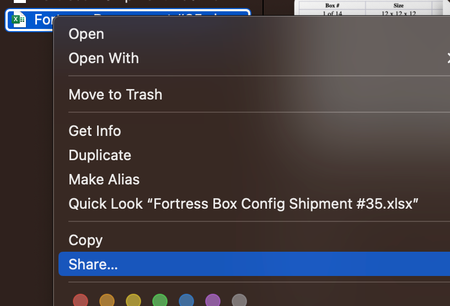
Hello, Since upgrading to Ventura I have noticed several weird bugs with DropBox. The most recent is that I can't rename a duplicated file. Pressing "Enter" gives the "error" chime. Right-cl...

Laurence S.4
2 years agoHelpful | Level 5
Spoiler
I am experiencing the same thing with Dropbox 191.3.4950, Ventura 13.6.3. If I duplicate a (.pptx) file in a folder inside Dropbox then Rename is greyed out even though I have Read&Write permission. If I copy to the desktop there is no problem and I can then copy the file back to the folder and there is no problem. Also, if I duplicate a file and try to move it to the desktop I get a no entry icon. So, some sort of permission problem to do with duplicating a file in a Dropbox folder.

Nancy Dropbox Community Moderator
2 years agoDropbox Community ModeratorHi Laurence S.4! Do you mind sending us a screenshot of what you see on your end? More specifically, I’d like to have a visual of the entry icon that you mention, and the “Rename” option being greyed out.
Thanks!
- Laurence S.42 years agoHelpful | Level 5
I have just selected 'Gothic Revival.pptx', right clicked and selected 'Duplicate'. I then selected 'Gothic Revival copy.pptx' (as you see) and the File/Rename option is greyed out. The right click menu does not have the Rename option at all. I have also included the Get Info window so you can see READ & Write is permitted.
- Walter2 years ago
Hi there Laurence S.4 - sorry to jump in, but I just wanted to mention that I took a look at your original post and it seems that you're running a beta version of the desktop app.
Could you try the latest, stable version from this page directly and let us know if the issue persists?
- Laurence S.42 years agoHelpful | Level 5
OK, I installed the stable build and it now works fine. Just take my comments as feedback on the beta,
Thank you

About Delete, Edit, and Organize
Solve issues with deleting, editing, and organizing files and folders in your Dropbox account.
The Dropbox Community team is active from Monday to Friday. We try to respond to you as soon as we can, usually within 2 hours.
If you need more help you can view your support options (expected response time for an email or ticket is 24 hours), or contact us on X, Facebook or Instagram.
For more info on available support options for your Dropbox plan, see this article.
If you found the answer to your question in this Community thread, please 'like' the post to say thanks and to let us know it was useful!


