Our Community is in read-only mode until April 8th, learn more here. You can still search existing threads or get help via Dropbox Support, the Dropbox Help Center, or Learn.
Forum Discussion

matboro1
2 months agoNew member | Level 2
I automated a folder on my Dropbox account, but one of my files was moved to the wrong subfolder.
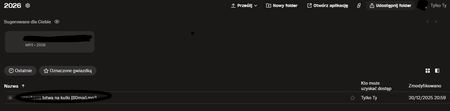
I am creating an automatic action that moves files to a directory after the creation date (year) and moved the file from December 30, 2025 to the 2026 folder
Why?

matboro1
2 months agoNew member | Level 2
Hi Jay
Yes, i use it Dropbox automation feature (transfer files grouped per year)
Folder structure ;)
- Jay2 months ago
Dropbox Community Moderator
Thanks, it's likely that the automation is moving files into the folders according to the date they were added to that specific folder, and not by the creation date of the file itself.
Could you confirm if you moved that file into the folder in 2026 and not in 2025?

About Delete, Edit, and Organize
Solve issues with deleting, editing, and organizing files and folders in your Dropbox account.
The Dropbox Community team is active from Monday to Friday. We try to respond to you as soon as we can, usually within 2 hours.
If you need more help you can view your support options (expected response time for an email or ticket is 24 hours), or contact us on X, Facebook or Instagram.
For more info on available support options for your Dropbox plan, see this article.
If you found the answer to your question in this Community thread, please 'like' the post to say thanks and to let us know it was useful!


