We’re Still Here to Help (Even Over the Holidays!) - find out more here.
Forum Discussion

zakladams
9 months agoExplorer | Level 3
My files are being deleted constantly when saved in the Dropbox folder on Mac OS
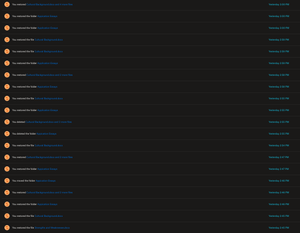
There is something wrong with my Dropbox. I've had it installed on my Mac for years and over the past several months files are being deleted shortly after I create them or drag them into the dropbox ...

zakladams
9 months agoExplorer | Level 3
I don't think there are any apps that are making changes to the Dropbox folder. I have dozens of sub-folders in Dropbox, and haven't seen this behavior in all of them, but I have seen it in several in different places in the folder hierarchy.
It does seem like I can add files to Dropbox from the web interface without this behavior happening.

Jay Dropbox Community Moderator
9 months agoDropbox Community ModeratorCould you try quitting all your open apps on your machine, apart from the Dropbox app, and then try adding a new file into the Dropbox folder, and let me know if this behavior repeats again?
- zakladams9 months agoExplorer | Level 3
I tried this and it seems to be working, however, the deleting wasn't constant before. I upload many files to Dropbox every day and the weird deleting only seems to happen occasionally. There are always multiple apps open on my machine when it happens though.
- Jay9 months ago
This could mean that one of the open apps is somehow deleting the new files added to the Dropbox folder.
Try starting upon some of the usual apps you have running, and then add a new file into the folder.
Each time that it works, try a new app and add a new file, and so on, until the new file gets deleted.
About Delete, edit, and organize
Solve issues with deleting, editing, and organizing files and folders in your Dropbox account with support from the Dropbox Community.
The Dropbox Community team is active from Monday to Friday. We try to respond to you as soon as we can, usually within 2 hours.
If you need more help you can view your support options (expected response time for an email or ticket is 24 hours), or contact us on X, Facebook or Instagram.
For more info on available support options for your Dropbox plan, see this article.
If you found the answer to your question in this Community thread, please 'like' the post to say thanks and to let us know it was useful!


