Need to see if your shared folder is taking up space on your dropbox 👨💻? Find out how to check here.
Forum Discussion

jonsymbolgoodman
3 years agoExplorer | Level 3
Mystery Photos on my account
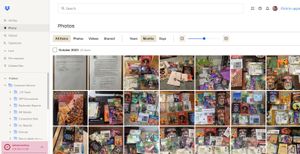
Long story short: I have to free up space and these photos are mysterious in origin -- and I don't know what to call that 'menu item' on the left edge to be able to search for it in help in order to ...

Rich Super User II
3 years agoSuper User II
jonsymbolgoodman wrote:
So there's the Plan Page results. It's all shared files. But looking at shared files is that other grab that clearly has less than 2 GB.
Again, that other screenshot has no context at all. I don't know where it's from or what it's showing. It can't be showing you all of your shared files as there's clearly 2.1GB of shared content within your account. If I had to guess, it's showing a single shared folder that you can't join because you don't have room, but without seeing the full page that it comes from, I can't be certain.
... I could get a new screen grab if it'll help.
It would, if it's the full page. Just mask any private information.
To be clear, this account was set up only to access work files. I'm NOT piggybacking anything into the storage.
That's not how it works. If you have an individual account, which it appears that you do, and you accept a shared folder, that folder exists within your account taking up space. You're not accessing it directly within the account that shared it with you.
You new screenshot shows that you have 2.1GB of data in your account. Assuming you only have 2GB of space, you're over your quota due to shared content. You'll either need to upgrade your account or leave some shared folders to bring yourself back below your quota.
So regardless of what type of account it is, if we all have the same type of account, it's weird that I'm the only one getting this overage error.
The account type matters, as does the amount of space that you have available in it. Two people can have the same account type but with different amounts of available space. Assuming two people with a Basic account, one person could have 1GB of data in it already so they can only accept another 1GB of shared content, while the other person's account is empty so they can accept 2GB of content. Or one person may have more than 2GB available (earned through referrals or other promotions) so they can accept more than a regular Basic account.

jonsymbolgoodman
3 years agoExplorer | Level 3
- Walter3 years ago
Dropbox Community Moderator
It looks like you're over your account's quota limit jonsymbolgoodman
In this case, you'll need to make up some space before adding this folder to your account.
You can achieve this by deleting any files you don't need stored in Dropbox or removing your access from shared folders you don't need.
Alternatively, since the space you'd need to access the folder is not too much, you can try referring a friend or colleague to Dropbox as that would earn you 500 MB of additional space.
Let us know if you have any other questions.
- jonsymbolgoodman3 years agoExplorer | Level 3
Thanks, Walter -- the entire thread is about getting more space.
- jonsymbolgoodman3 years agoExplorer | Level 3
Could someone clarify why the Shared page and Plan page don't agree?
Shared shows everything that's been shared with the account, which by what's shown on screen is something like 1.7 GB.
The Plan page says I'm at 2.1 GB and that everything on the account is a shared file. It confirms that there are no backups taking space, and no "regular files" (whatever that means) taking up space.Maybe math is not my strong suit (which is at the cleaners), but I'm reasonably certain 1.7 does not equal 2.1.
So what's that all about, hunh? - Nancy3 years ago
Hi from me as well, jonsymbolgoodman! Can you please go to your Shared page again, click on the Files column instead, and send me a screenshot of what you see there?
- jonsymbolgoodman3 years agoExplorer | Level 3
- Hannah3 years ago
Thanks for that, jonsymbolgoodman!
Indeed, that's what Nancy meant.
Would you mind actually navigating to your shared folders from the "all files" page instead and check out their exact sizes, to see what results you find?
You can calculate the size of the folders, by following the steps here.


About Delete, edit, and organize
Solve issues with deleting, editing, and organizing files and folders in your Dropbox account with support from the Dropbox Community.
The Dropbox Community team is active from Monday to Friday. We try to respond to you as soon as we can, usually within 2 hours.
If you need more help you can view your support options (expected response time for an email or ticket is 24 hours), or contact us on X, Facebook or Instagram.
For more info on available support options for your Dropbox plan, see this article.
If you found the answer to your question in this Community thread, please 'like' the post to say thanks and to let us know it was useful!


