Your workflow is unique 👨💻 - tell us how you use Dropbox here.
Forum Discussion

mm-nyc
5 years agoHelpful | Level 5
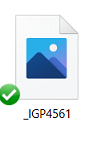
Thumbnail not showing up, only generic icon when I go to 'camera uploads' to try to attach image
hi, i just had to reinstall my pc, reinstall dropbox, etc.. all good.
but in outlook i goto attahc an image, i goto my 'dropbox\camera uploads\ folder, and all i see are generic blue icons
, ...
 3 years ago
I have been in contact with Dropbox via Twitter and latterly by email. At their suggestion I changed one of the files to Online Only (in Windows File Manager) and the thumbnail immediately showed. I then changed it back to Local and the thumbnail remained. I then changed all 693 files in the Camera Uploads folder to Online Only and back to Local (it took some time) and now all the thumbnails show.
In a further exchange of email Dropbox say there are aware of the problem but believe it is caused by some 3rd party software or App. I have asked if they care to say what they think it is but I have not had a reply. They have now closed my case.
I have just taken a pic on my phone; it uploaded immediately and the thumbnail is showing so for me the problem is sorted.

ramblingsu
4 years agoHelpful | Level 5
Not sure why Dropbox support didn't just post this publicly rather than only email me, but here's a solution they sent that worked for me:
Open File Explorer > View tab > Options > View tab > Uncheck Always show icons, never thumbnails (If this is already unchecked, check it and OK..Then go back again and uncheck it and OK

Immortaleye
4 years agoHelpful | Level 6
Yeah. Try doing that several times a day and see if you still think of it as a 'solution' I along with others have sent over screenshots and other information on this and so far Zilch after the intial exchanges.
As a photographer when editng I am constantly draging or importing things like textures into my work and dropbox is a way of ensuring access to those from different devices and locations. Once the thumbnail vanishes I have no idea what that texture looks like, As I may import a number of textures into an image to work out what is best for that creation I quickly end up with a folder that is effectively useless to me.
Will have to start looking at Amazon or Adobe cloud options instead as this is now ludicrous. A week and our studio opens back up from lockdown. Once that happens I cannot be messing around like this.
- ambenisar4 years agoHelpful | Level 6
I feel your pain as a working photographer. However, so far this has worked for me. I also have a Box account and Amazon Photos. I may give Box a test run. For me it depends on the integrations with other apps. DropBox provides a lot of integrations that I wouldn't want to work without.
About Delete, Edit, and Organize
Solve issues with deleting, editing, and organizing files and folders in your Dropbox account.
The Dropbox Community team is active from Monday to Friday. We try to respond to you as soon as we can, usually within 2 hours.
If you need more help you can view your support options (expected response time for an email or ticket is 24 hours), or contact us on X, Facebook or Instagram.
For more info on available support options for your Dropbox plan, see this article.
If you found the answer to your question in this Community thread, please 'like' the post to say thanks and to let us know it was useful!


