Your workflow is unique 👨💻 - tell us how you use Dropbox here.
Forum Discussion

mm-nyc
5 years agoHelpful | Level 5
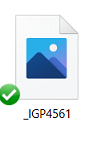
Thumbnail not showing up, only generic icon when I go to 'camera uploads' to try to attach image
hi, i just had to reinstall my pc, reinstall dropbox, etc.. all good.
but in outlook i goto attahc an image, i goto my 'dropbox\camera uploads\ folder, and all i see are generic blue icons
, ...
 3 years ago
I have been in contact with Dropbox via Twitter and latterly by email. At their suggestion I changed one of the files to Online Only (in Windows File Manager) and the thumbnail immediately showed. I then changed it back to Local and the thumbnail remained. I then changed all 693 files in the Camera Uploads folder to Online Only and back to Local (it took some time) and now all the thumbnails show.
In a further exchange of email Dropbox say there are aware of the problem but believe it is caused by some 3rd party software or App. I have asked if they care to say what they think it is but I have not had a reply. They have now closed my case.
I have just taken a pic on my phone; it uploaded immediately and the thumbnail is showing so for me the problem is sorted.

ambenisar
4 years agoHelpful | Level 6
There is apparently no permanent solution to this problem and Dropbox seems unwilling to address the issue.

madmick
4 years agoExplorer | Level 4
I am pretty well an ignoramus with computers but I may have stumbled and fumbled my way to a solution to this problem.
I found that several of my folders had random images showing only the place marker with a grey X and no thumbnail. I back up all my photos onto an external hard drive so when I found a file which was badly corrupted this way I simply deleted it then replaced it from the external hard drive and right clicked to set all the files to "local".
Another hack for individual images was to right click them, make them "Online Only" then right click again and make them "Local".
About Delete, Edit, and Organize
Solve issues with deleting, editing, and organizing files and folders in your Dropbox account.
The Dropbox Community team is active from Monday to Friday. We try to respond to you as soon as we can, usually within 2 hours.
If you need more help you can view your support options (expected response time for an email or ticket is 24 hours), or contact us on X, Facebook or Instagram.
For more info on available support options for your Dropbox plan, see this article.
If you found the answer to your question in this Community thread, please 'like' the post to say thanks and to let us know it was useful!


