Our Community is in read-only mode until April 8th, learn more here. You can still search existing threads or get help via Dropbox Support, the Dropbox Help Center, or Learn.
Forum Discussion

fredone
2 years agoExplorer | Level 4
Can't sync - not enough space error message (but there is tons of space)
Hi guys
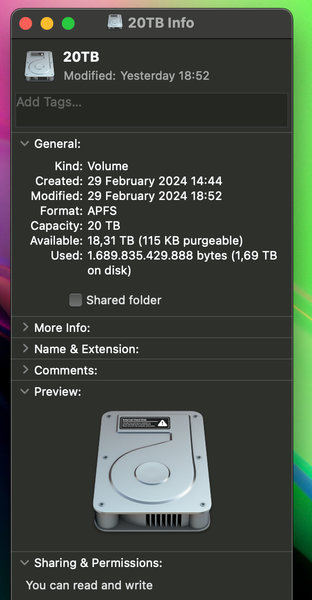
I've just installed Dropbox for Mac in a new computer to download and backup my data. I work with video production so there's lots of large files in my dropbox.
After syncing a fe...

Jay Dropbox Community Moderator
2 years agoDropbox Community ModeratorAre you certain that the Dropbox folder is on the second drive? You can confirm this by checking the location in the Dropbox desktop application preferences.

fredone
2 years agoExplorer | Level 4
Yes, it's on the second drive. The system drive is a 128 GB ssd, just for OS.
It seems to still be downloading files (at a bit slower pace)
- Jay2 years ago
Thanks for the info, I'd recommend contacting the support team for them to investigate this matter in more detail on their end.
- Mark2 years ago
Super User II
fredone wrote:This could very much be the issue. Does that small drive have space?
Dropboxs local cache files stay on the OS drive (ie. your 128gb one) and will rapidly fill with all the different download versions while you are syncing/changing things. My guess here is that drive is full and so syncing has stopped as it cannot download any more to then move to the large drive.
 PhilEterneva2 years agoExplorer | Level 3
Same problem. any luck?

About Create, Upload, and Share
Find help to solve issues with creating, uploading, and sharing files and folders with Dropbox.
The Dropbox Community team is active from Monday to Friday. We try to respond to you as soon as we can, usually within 2 hours.
If you need more help you can view your support options (expected response time for an email or ticket is 24 hours), or contact us on X, Facebook or Instagram.
For more info on available support options for your Dropbox plan, see this article.
If you found the answer to your question in this Community thread, please 'like' the post to say thanks and to let us know it was useful!


