Your workflow is unique 👨💻 - tell us how you use Dropbox here.
Forum Discussion

Thien_VPLSTT
1 month agoNew member | Level 2
How can I invite people to view a shared link?
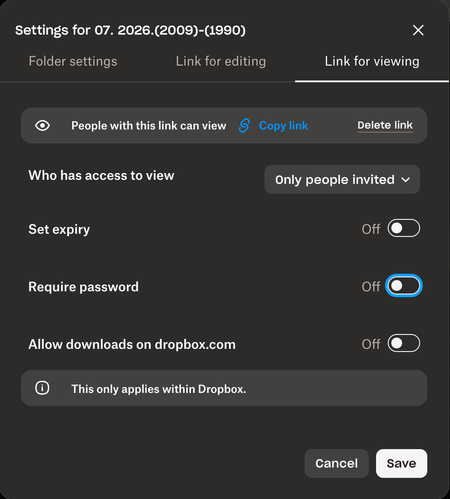
When I want to create link for view for only people invited, I do not know how to invite them to this link. Please instruct me.

Hannah Dropbox Community Moderator
1 month agoDropbox Community ModeratorHi there, Thien_VPLSTT, thanks for your post!
I see from your screenshot that you created your link for viewing, so now once you've applied your preferred permissions and copied the link, all you have to do is paste it somewhere your recipients will find it.
That could be an email, a text message, etc. Basically, once the link is copied, it's up to you how you will share it with others.
I hope this helps, but if you have more questions, let me know!
About Create, Upload, and Share
Find help to solve issues with creating, uploading, and sharing files and folders with Dropbox.
The Dropbox Community team is active from Monday to Friday. We try to respond to you as soon as we can, usually within 2 hours.
If you need more help you can view your support options (expected response time for an email or ticket is 24 hours), or contact us on X, Facebook or Instagram.
For more info on available support options for your Dropbox plan, see this article.
If you found the answer to your question in this Community thread, please 'like' the post to say thanks and to let us know it was useful!


