Our Community is in read-only mode until April 8th, learn more here. You can still search existing threads or get help via Dropbox Support, the Dropbox Help Center, or Learn.
Forum Discussion

Juan95
5 months agoExplorer | Level 3
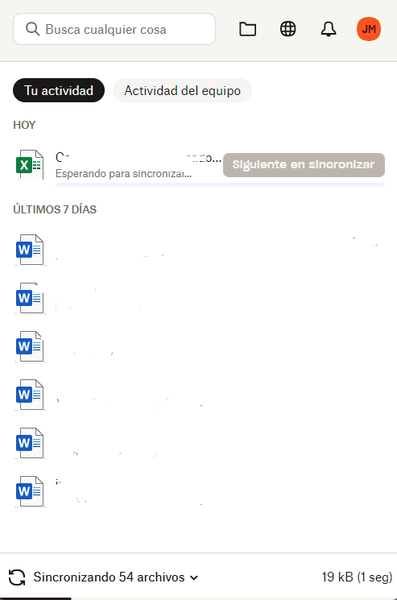
My Windows 11 desktop app is stuck syncing one file.
Application Affected
Dropbox Desktop Device
Dell Vostro 3520 Operating System/Browser (if using the web)
Windows 11 Dropbox App Version (if using the app)
235.4.5905
Hi,
My Dr...

Juan95
5 months agoExplorer | Level 3
Hi Walter, thanks for the quick response.
I rebooted the app (closing it on the task manager, also by clearing the cache) and the system, but haven't tried rebooting my internet router.
There's no sync issues reported under "Sync and storage" preferences.
I'm currently using selective sync. Probably, I should start allowing a folder at a time to retrieve a file causing the issue (if that's what's causing this), but can be very time consuming.

Walter Dropbox Community Moderator
5 months agoDropbox Community ModeratorI see, thanks for the additional info, Juan - much appreciated.
Can you maybe try to lessen the app's load by using selective sync to reduce the amounts of files/folders you're syncing on your computer?
About Create, Upload, and Share
Find help to solve issues with creating, uploading, and sharing files and folders with Dropbox.
The Dropbox Community team is active from Monday to Friday. We try to respond to you as soon as we can, usually within 2 hours.
If you need more help you can view your support options (expected response time for an email or ticket is 24 hours), or contact us on X, Facebook or Instagram.
For more info on available support options for your Dropbox plan, see this article.
If you found the answer to your question in this Community thread, please 'like' the post to say thanks and to let us know it was useful!


