Your workflow is unique 👨💻 - tell us how you use Dropbox here.
Forum Discussion

eliemediocre
6 months agoNew member | Level 2
Why am I out of storage space? I've deleted everything and Dropbox shows space is being used.
Dropbox Plan
Basic, unpaid plan
Device
All
Operating System/Browser (if using the web)
All
Question or Issue
I have downgraded to the free dropbox plan and deleted every file, removed every shared folder, and emptied out every deleted file in my deleted files section, but my dropbox is still showing that I'm using up all of my space. How is this happening? I can't find a single file anywhere that would be taking up space in my account, yet:
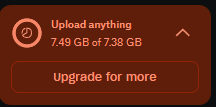
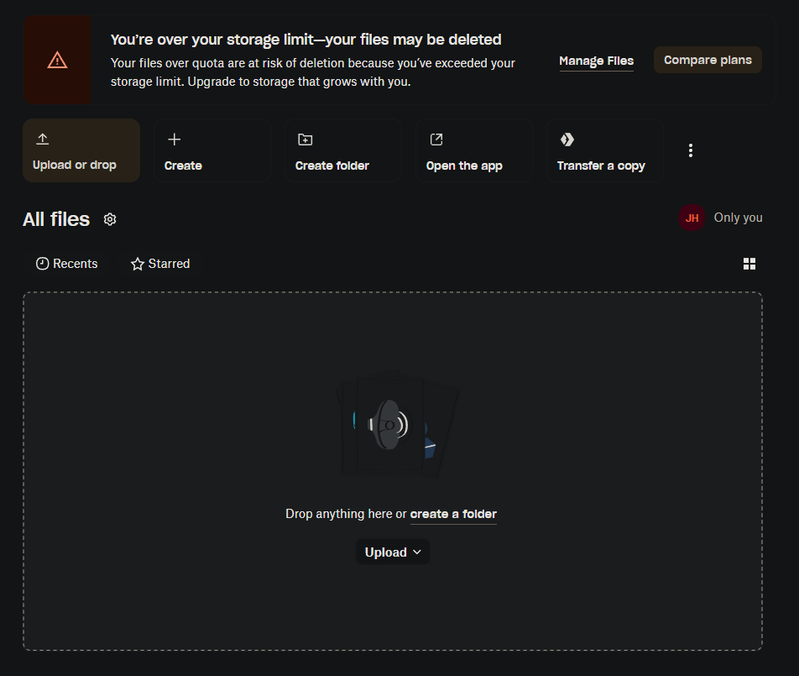
What am I missing? Is there a secret file area that has 7+ GB of files?
Dropbox app was also constantly popping up on my computer warning me I was out of space, but when i'd click the "clean up files" button it would take me to my empty dropbox folder with nothing left to clean up.
Hey there, welcome to the community eliemediocre
Do you have backups enabled? You can check here: https://www.dropbox.com/backup/all

3 Replies
Replies have been turned off for this discussion
- Dell_Dropbox6 months ago
Community Manager
Hey there, welcome to the community eliemediocre
Do you have backups enabled? You can check here: https://www.dropbox.com/backup/all
 eliemediocre6 months agoNew member | Level 2
Yeah I tried to edit my post to show this had been resolved; I could swear I had checked backups before and there was nothing there, but after submitting this post and seeing a couple other similar ones on the sidebar, I checked again and sure enough, there was a folder there x_x
Thank you for the help and sorry for taking up extra time with something that just needed me to look again - I really do appreciate your time!
- Dell_Dropbox6 months ago
No worries at all, that's what we're here for.
Don't hesitate to stop by if you need anything else
About Storage Space
Looking for help with managing the storage space in your Dropbox account? Talk to the Dropbox Community and get advice from members.
The Dropbox Community team is active from Monday to Friday. We try to respond to you as soon as we can, usually within 2 hours.
If you need more help you can view your support options (expected response time for an email or ticket is 24 hours), or contact us on X, Facebook or Instagram.
For more info on available support options for your Dropbox plan, see this article.
If you found the answer to your question in this Community thread, please 'like' the post to say thanks and to let us know it was useful!


