Our Community is in read-only mode until April 8th, learn more here. You can still search existing threads or get help via Dropbox Support, the Dropbox Help Center, or Learn.
Forum Discussion

clarkxgriswold
3 years agoExplorer | Level 3
Dropbox Desktop App won't connect (Apple Silicone M1)
Hi there,
I did get a new MacBook Pro with a Silicone M1 Pro chip the other day. The new MacBook is running OS Ventura 13.1 Used my last time machine backup to migrate my data from the old Mac...
- 3 years ago
Hi clarkxgriswold, one more thing I'd like for us to try is an advanced re-install.
Thank you for your patience, and don't hesitate to let me know if this gets things going or not.

clarkxgriswold
3 years agoExplorer | Level 3
Hi Megan
Hi Megan,
sadly the same result as above. No solution to my connection issues.
Here's what I did:
- I did follow Walter's steps.
- I was asked to reinstall the app after starting it from my Applications folder.
- After installing and logging in to my account on my Macbook, the app said that 3 devices were already connected to it (iPhone/iPad/this Macbook). So I did remove the MacBook (old device ID I guess) in favor for the newly detected MacBook device ID.
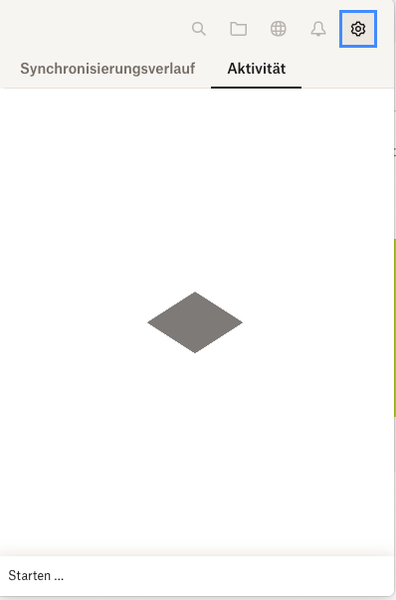
- I once again ran into the connection issue. Here's the German screenshot and its translation. Plus the .txt-file containing information for the Dropbox support.
Dropbox could not be started.
This may be a temporary error. Please restart Dropbox.
If you need more information, please click the help button.
If the problem persists, please contact Dropbox Support with the following information:
.txt-file:
bn.BUILD_KEY: Dropbox
bn.VERSION: 164.4.7914
bn.constants.WINDOWS_SHELL_EXT_VERSION: 58
bn.is_frozen: True
machine_id: b6cd7fdd-7975-5ed8-84d8-730aa5fd3f27
pid: 821
ppid: 1
uid: 501
user_info: pwd.struct_passwd(pw_name='Martin', pw_passwd='********', pw_uid=501, pw_gid=20, pw_gecos='Martin Liebl', pw_dir='/Users/Martin', pw_shell='/bin/bash')
effective_user_info: pwd.struct_passwd(pw_name='Martin', pw_passwd='********', pw_uid=501, pw_gid=20, pw_gecos='Martin Liebl', pw_dir='/Users/Martin', pw_shell='/bin/bash')
euid: 501
gid: 20
egid: 20
group_info: grp.struct_group(gr_name='staff', gr_passwd='*', gr_gid=20, gr_mem=['root', '_serialnumberd'])
effective_group_info: grp.struct_group(gr_name='staff', gr_passwd='*', gr_gid=20, gr_mem=['root', '_serialnumberd'])
DYLD_LIBRARY_PATH: None
cwd: '/'
real_path='/'
mode=0o40755 uid=0 gid=0
parent mode=0o40755 uid=0 gid=0
HOME: '/Users/Martin'
appdata: '/Users/Martin/.dropbox/instance1'
real_path='/Users/Martin/.dropbox/instance1'
mode=0o40700 uid=501 gid=20
parent mode=0o40755 uid=501 gid=20
dropbox_path: '/Users/Martin/Library/CloudStorage/Dropbox'
real_path='/Users/Martin/Library/CloudStorage/Dropbox'
mode=0o40700 uid=501 gid=20
parent mode=0o40755 uid=501 gid=20
sys_executable: '/Applications/Dropbox.app/Contents/MacOS/Dropbox'
real_path='/Applications/Dropbox.app/Contents/MacOS/Dropbox'
mode=0o100755 uid=501 gid=20
parent mode=0o40755 uid=501 gid=20
trace.__file__: '/Applications/Dropbox.app/Contents/Resources/python-packages.zip/dropbox/client/ui/common/boot_error.pyc'
real_path='/Applications/Dropbox.app/Contents/Resources/python-packages.zip/dropbox/client/ui/common/boot_error.pyc'
not found
parent not found
tempdir: '/var/folders/ln/645zkb656hs_j6n40g7l_kr80000gn/T'
real_path='/private/var/folders/ln/645zkb656hs_j6n40g7l_kr80000gn/T'
mode=0o40700 uid=501 gid=20
parent mode=0o40755 uid=501 gid=20
Traceback (most recent call last):
File "dropbox/client/main.pyc", line 807, in wrapper
File "dropbox/client/main.pyc", line 6259, in finish_dropbox_boot
File "dropbox/client/message_queue.pyc", line 306, in _wrapped
File "dropbox/client/main.pyc", line 5801, in _init_components_for_account
File "dropbox/client/main.pyc", line 5725, in create_sync_engine
File "dropbox/sync_engine_boundary/factory.pyc", line 225, in make_sync_engine
File "dropbox/sync_engine/nucleus/classic_client/sync_engine.pyc", line 245, in __init__
File "dropbox/sync_engine/nucleus/classic_client/modern_client/modern_client.pyc", line 280, in __init__
File "dropbox/sync_engine/nucleus/classic_client/modern_client/base.pyc", line 190, in __init__
File "dropbox/fs_api/lifecycle.pyc", line 192, in __init__
File "dropbox/fs_api/lifecycle.pyc", line 206, in _create_thin_client
File "dropbox/fs_api/fs_api_adapter.pyc", line 50, in __init__
File "desktop/extensions/fs_api/fs_api_python.pyx", line 63, in fs_api_python.FsApiServer.__cinit__
fs_api_python.FsApiError: "Initializing fs api |>> Initializing application filesystem |>> Attempting to initialize dbx cache directory |>> open syscall |>> OS reported a potential deadlock"

Megan Dropbox Community Moderator
3 years agoDropbox Community ModeratorHi clarkxgriswold, one more thing I'd like for us to try is an advanced re-install.
Thank you for your patience, and don't hesitate to let me know if this gets things going or not.
- clarkxgriswold3 years agoExplorer | Level 3
Hi Megan .
Got it running, finally. Thank you!
- Megan3 years ago
About Apps and Installations
Have a question about a Dropbox app or installation? Reach out to the Dropbox Community and get solutions, help, and advice from members.
The Dropbox Community team is active from Monday to Friday. We try to respond to you as soon as we can, usually within 2 hours.
If you need more help you can view your support options (expected response time for an email or ticket is 24 hours), or contact us on X, Facebook or Instagram.
For more info on available support options for your Dropbox plan, see this article.
If you found the answer to your question in this Community thread, please 'like' the post to say thanks and to let us know it was useful!


