Your workflow is unique 👨💻 - tell us how you use Dropbox here.
Forum Discussion

1Shelly
8 years agoHelpful | Level 6
Dropbox Files not accessible on PC but are on android phone
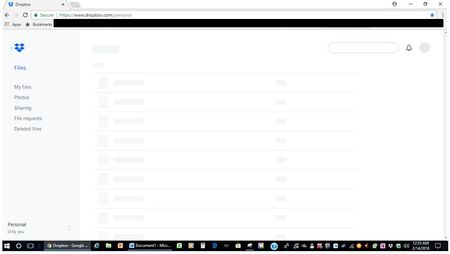
I opened Dropbox today on my laptop and this is all I can see: Clicking on the boxes does nothing & if I select another category on the left I don't even see this, however I can see the file lis...
- 8 years agoIn the end I added the Dropbox website as a trusted site in both Chrome & IE and that worked!


Rich Super User II
8 years agoSuper User IIClear your browsing history and try again.
- 1Shelly8 years agoHelpful | Level 6Thanks for the suggestion, unfortunately, that did not work either. I have also tried both Chrome & IE with the same results. I also cannot find a way to log off Dropbox on my PC. Hesitant to log off via the phone as I don't want to lose all access.
- Rich8 years agoThe option to sign out of your account in a browser is available by clicking your avatar. In your screenshot above, that would be the grey circle in the upper right corner.
I can say with almost absolute certainty that this is just a browser related issue. It has happened in the past, especially with Chrome, and usually clearing the browsing history resolves it. It could also be an extension/addon that's blocking the page from loading, or even an over zealous antivirus package that's blocking part of Dropbox.
If that doesn't help you resolve it, then you'll need to contact Support so they can assist you.
Open your ticket here: https://dropbox.com/support
Track your ticket here: https://dropbox.zendesk.com
Replies take approximately 1 - 3 business days with Plus, Professional and Business users getting priority (longer for Basic users).- 1Shelly8 years agoHelpful | Level 6Thanks so much! I will try a few more things before going to support, but really appreciate having that contact info.
About Apps and Installations
Have a question about a Dropbox app or installation? Reach out to the Dropbox Community and get solutions, help, and advice from members.
The Dropbox Community team is active from Monday to Friday. We try to respond to you as soon as we can, usually within 2 hours.
If you need more help you can view your support options (expected response time for an email or ticket is 24 hours), or contact us on X, Facebook or Instagram.
For more info on available support options for your Dropbox plan, see this article.
If you found the answer to your question in this Community thread, please 'like' the post to say thanks and to let us know it was useful!


