Your workflow is unique 👨💻 - tell us how you use Dropbox here.
Forum Discussion

Jonesy67
1 year agoNew member | Level 1
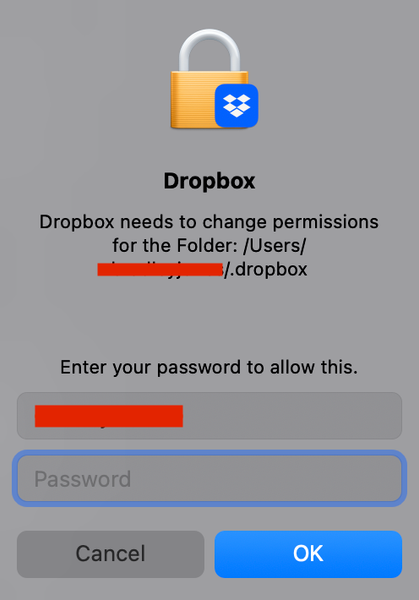
Dropbox needs to change permissions for the Folder...
Mid-December, my Mac updated to the latest OS. macOS Sequoia 15.2 (24C101). Since then, Dropbox needs to change permissions for the Folder: /Users/ ############/.dropbox every time I restart my Mac a...
- 1 year ago
Hey Jonesy67, can you please try the steps in this article and let us know if they help?


Jonesy67
1 year agoNew member | Level 1
Walterdo you have any thoughts on this issue?
It happens every time I restart my iMac and after it goes to sleep. Thanks

Walter Dropbox Community Moderator
1 year agoDropbox Community ModeratorThanks for the additional information and the nudge on this Jonesy67
Can you confirm that you've already granted Dropbox full disk access as outlined here?
Also, may I ask if you've enabled early releases on your account and if there's a particular reason you're not running the latest stable version of the app on your computer?
- Jonesy671 year agoNew member | Level 1
Thanks, Walter I checked, and yes, I was on early release, so I turned that setting off and reinstalled build 214.4.5217. App asked for access when installing and was granted.
Dropbox had been granted full disk access, and the new install build 214.4.5217 also has disk access and accessibility.
Restarted iMac and once again was asked to grant access as per original post, restarted again just to be sure, yep, same.
- Hannah1 year ago
Hey Jonesy67, can you please try the steps in this article and let us know if they help?
About Apps and Installations
Have a question about a Dropbox app or installation? Reach out to the Dropbox Community and get solutions, help, and advice from members.
The Dropbox Community team is active from Monday to Friday. We try to respond to you as soon as we can, usually within 2 hours.
If you need more help you can view your support options (expected response time for an email or ticket is 24 hours), or contact us on X, Facebook or Instagram.
For more info on available support options for your Dropbox plan, see this article.
If you found the answer to your question in this Community thread, please 'like' the post to say thanks and to let us know it was useful!


