Our Community is in read-only mode until April 8th, learn more here. You can still search existing threads or get help via Dropbox Support, the Dropbox Help Center, or Learn.
Forum Discussion

RyanC
10 months agoExplorer | Level 4
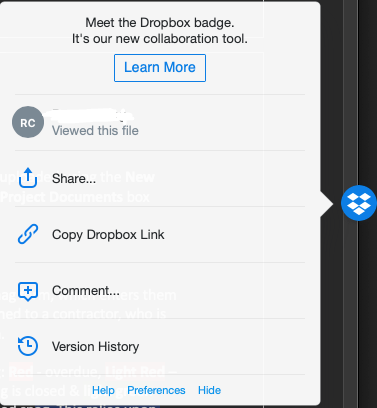
How do I disable the "Welcome to Dropbox" badge popup on Mac?
I can see there's an option to disable the badge but I'm happy with the badge, just need to get this insanely annoying pop-up gone.

RyanC
10 months agoExplorer | Level 4
That is a truly offensive design feature. That pop-up is a nightmare and I'm shocked that Dropbox thinks it's acceptable to have a "Welcome to Dropbox badge" pop-up EVERY time I switch windows or open a new document. When I swap over or open to quickly read or change something it's right there in the way!
If that is the case I will simply disable the feature entirely, which is a pity because it would have been useful otherwise.
About Apps and Installations
Have a question about a Dropbox app or installation? Reach out to the Dropbox Community and get solutions, help, and advice from members.
The Dropbox Community team is active from Monday to Friday. We try to respond to you as soon as we can, usually within 2 hours.
If you need more help you can view your support options (expected response time for an email or ticket is 24 hours), or contact us on X, Facebook or Instagram.
For more info on available support options for your Dropbox plan, see this article.
If you found the answer to your question in this Community thread, please 'like' the post to say thanks and to let us know it was useful!


