Our Community is in read-only mode until April 8th, learn more here. You can still search existing threads or get help via Dropbox Support, the Dropbox Help Center, or Learn.
Forum Discussion

Frank P E.
3 months agoCollaborator | Level 9
Issue starting the Dropbox desktop app from a bat file on Win 11
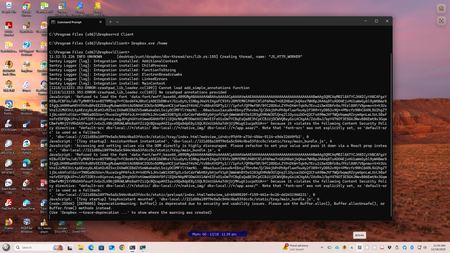
Hello --- I use a bat file to start dropbox on win 11 --- I discovered this issue with the beta version so I reverted to the stable. I reported this issue to support. So now stable version 238....

Megan Dropbox Community Moderator
3 months agoDropbox Community ModeratorHi there, TNunan!
Allow me to begin by saying that the method you're using in order to launch the app isn't fully supported by Dropbox. With that being said, we're a tad limited when it comes to troubleshooting.
Do you have any issues when you manually try to launch the app?
Lastly, in order to have a better idea of your workflow is there a specific reason why you're using a bat file, instead of having the app start on system start up or manually starting the app?

Frank P E.
3 months agoCollaborator | Level 9
wow what a cop-out !!!!!
When I start up my computer EVEYTHING wants to start at the same time and dropbox.exe really know how to hog up resource !!!!! it spawns 8 sub processes if you add an option to defer start up maybe let it auto start
- Rich3 months ago
Super User II
Frank P E. wrote:
When I start up my computer EVEYTHING wants to start at the same time and dropbox.exe really know how to hog up resource
Have you disabled it from automatically starting and tried using the Dropbox icon on your Start Menu or Desktop to launch it? What's the purpose of the batch file?
- Frank P E.3 months agoCollaborator | Level 9
the batch file controls how I start these process and when they start
- Walter3 months ago
Thanks for clarifying that for us Frank P E. - much appreciated.
I was able to find your existing ticket in our system and passed your comments on to the agent who's working on your case at the moment. They'll be getting back to you soon but please let us know if you have anything else to add.


About Apps and Installations
Have a question about a Dropbox app or installation? Reach out to the Dropbox Community and get solutions, help, and advice from members.
The Dropbox Community team is active from Monday to Friday. We try to respond to you as soon as we can, usually within 2 hours.
If you need more help you can view your support options (expected response time for an email or ticket is 24 hours), or contact us on X, Facebook or Instagram.
For more info on available support options for your Dropbox plan, see this article.
If you found the answer to your question in this Community thread, please 'like' the post to say thanks and to let us know it was useful!


