We’re Still Here to Help (Even Over the Holidays!) - find out more here.
Forum Discussion

dbray9
11 months agoHelpful | Level 6
Moving Dropbox folder to D drive
Instructions say click on preferences/ Sync/ And so on
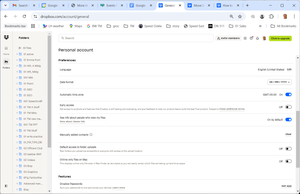
here are my preferences options — and And I don't see sync
what am I missing? Version 216. 4. 4420
windows Windows

Mark Super User II
11 months agoSuper User IIYou are using the wrong preferences, that is the website which doesn't have any control over your computer.
You need to use the Preferences menu on the computer software which you find by clicking on the little Dropbox icon on the status bar.
About Apps and Installations
Have a question about a Dropbox app or installation? Reach out to the Dropbox Community and get solutions, help, and advice from members.
The Dropbox Community team is active from Monday to Friday. We try to respond to you as soon as we can, usually within 2 hours.
If you need more help you can view your support options (expected response time for an email or ticket is 24 hours), or contact us on X, Facebook or Instagram.
For more info on available support options for your Dropbox plan, see this article.
If you found the answer to your question in this Community thread, please 'like' the post to say thanks and to let us know it was useful!


