Our Community is in read-only mode until April 8th, learn more here. You can still search existing threads or get help via Dropbox Support, the Dropbox Help Center, or Learn.
Forum Discussion

rb27
1 month agoNew member | Level 2
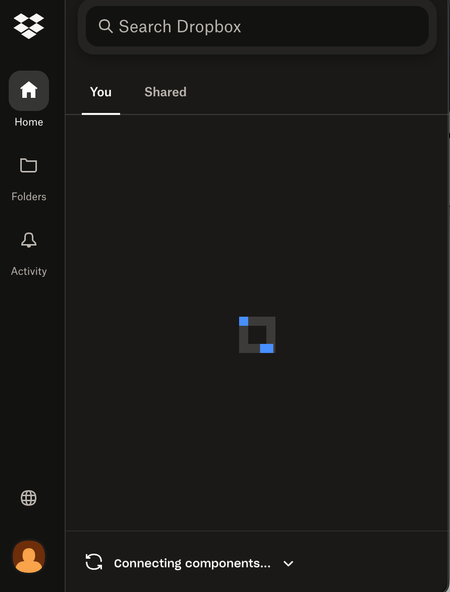
My Dropbox app on macOS is stuck on "Connecting components" even after reinstalling.
Application Affected
Dropbox Device
Macbook Air Operating System/Browser (if using the web)
(Windows 11, macOS14.3, etc.) Dropbox App Version (if using the app)
latest version (can...

allyinsf
8 days agoNew member | Level 2
I’m now having the same issue and, based on this thread, don’t want to move forward with the advanced reinstall unless there have been updates to this problem. Also Nancy the link to the thread you mention launches you into the general community forum.

Nancy Dropbox Community Moderator
8 days agoDropbox Community ModeratorThanks for the nudge, allyinsf! It looks like the thread I previously linked has been archived in the meantime.
If you’ve tried any other troubleshooting steps so far, can you let me know what these are, to see what else I can suggest for you?
- allyinsf8 days agoNew member | Level 2
Nancy This is a recent thing --probably 1-2 weeks ago and not as the result of an OS update.
All I’ve done so far is log out of Dropbox on all my devices and ensured Mac OSVentura is up to date (13.7.8). I get the same “connecting components” error.
Should I proceed with the advanced reinstall, or will you provide the steps that were outlined in the archived thread since that can’t be accessed?
- Nancy8 days ago
Alright, in this case I suggest doing a basic reinstall next.
If this doesn’t work either, please go ahead and perform an advanced reinstall with the steps outlined here.
Keep me posted for any updates.
- allyinsf7 days agoNew member | Level 2
Nancy, I’m attempting to do an advanced reinstall, but am having problems. I have a Dropbox Teams account. I’m following the instructions below,= using my team name, but the response is “no such file or directory". Dropbox is/was in my “Locations” folder.
Help! I’m not able to work. Can you open a ticket so I can get assisted support?
Important: If you're part of a team account, your Dropbox team name is included in the folder path. You’ll need to enter “~/[Team Name] Dropbox" instead of “~/Dropbox” in the lines above.
About Apps and Installations
Have a question about a Dropbox app or installation? Reach out to the Dropbox Community and get solutions, help, and advice from members.
The Dropbox Community team is active from Monday to Friday. We try to respond to you as soon as we can, usually within 2 hours.
If you need more help you can view your support options (expected response time for an email or ticket is 24 hours), or contact us on X, Facebook or Instagram.
For more info on available support options for your Dropbox plan, see this article.
If you found the answer to your question in this Community thread, please 'like' the post to say thanks and to let us know it was useful!


