Our Community is in read-only mode until April 8th, learn more here. You can still search existing threads or get help via Dropbox Support, the Dropbox Help Center, or Learn.
Forum Discussion

Greg T.16
7 years agoHelpful | Level 5
Smart sync icons missing
The venerable "missing smart sync icons" problem. MacOS Mojave 10.14.2 Dropbox 64.4.141. (Professional Acct) Have reinstalled DB several times (including via full desktop download). Tried the ...
- 7 years agoHi Greg, as you’re on a Mac, you can check if a third-party application is causing this issue with the following steps:
- Save any files and quit ALL programs.
- Completely quit and close any third-party cloud service applications such as Google Drive, OneDrive, or others.
- Quit Dropbox:
- Relaunch Finder using the following steps:
- Click on the Apple icon in the top left of your screen
- Click on "force quit"
- Select Finder then click "Relaunch"
- Restart the Dropbox application.
If the issue is resolved at this point, it may be due to the third-party applications running on the computer.If the issue persists, or you see that a new application is causing issues please let me know.


Jeff Marks
3 years agoExplorer | Level 4
No OS upgrade. Also seeing this on my workstation. And several users are reporting the same. But my workstation has lots of software installed. No other cloud drives. But we do have Sopohs AV on all the workstations.

Hannah Dropbox Community Moderator
3 years agoDropbox Community ModeratorHmm, if you temporarily disable Sophos, do you see any difference?
- Jeff Marks3 years agoExplorer | Level 4
Trying on three machines.
1. MBP M2 - Ventura 13.1
2. MacPro (Late 2013) - BigSur 11.7.2
3. Mac Mini M1 - Monterey 12.4
1. Is my workstation and had dozens of extensions. Turned them all off and disabled Sophos. No joy.
2. Had just Adobe Creative Cloud on. Turned it and Sophos off, and got weird results (see below).
3. Is the dedicated Dropbox machine. No other extensions were present. And the only other software installed is Carbon Copy Cloner and Sophos. This one seems to be working correctly with Sophos disabled. I will keep using it and let you know if anything changes. But of course, this is not a long term fix. We are required by insurance and clients to carry end point protection on all our machines.
We're running Sophos Endpoint 10.4.1 on all of the machines.
Oddly on the MacPro, it started to show icons. But never finished as you can see below.
- Jeff Marks3 years agoExplorer | Level 4
The behavior is unpredictable. On the Mac Mini, the status is now visible with Sophos running. I reactivated it to wait for further from you but not be left unprotected.
- Jeff Marks3 years agoExplorer | Level 4
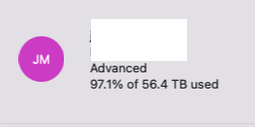
Also, if it makes a difference, we have a large account.
- Jay3 years ago
Hi Jeff Marks, as it seems that you have a Dropbox Business account, have you already tried contacting the support team directly for further assistance?
- Jeff Marks3 years agoExplorer | Level 4
Sure didn't. But will do.
About Apps and Installations
Have a question about a Dropbox app or installation? Reach out to the Dropbox Community and get solutions, help, and advice from members.
The Dropbox Community team is active from Monday to Friday. We try to respond to you as soon as we can, usually within 2 hours.
If you need more help you can view your support options (expected response time for an email or ticket is 24 hours), or contact us on X, Facebook or Instagram.
For more info on available support options for your Dropbox plan, see this article.
If you found the answer to your question in this Community thread, please 'like' the post to say thanks and to let us know it was useful!


