Your workflow is unique 👨💻 - tell us how you use Dropbox here.
Forum Discussion

Здравко
1 year agoLegendary | Level 20
Why is my ISP network banned from accessing Dropbox?
Hello all,
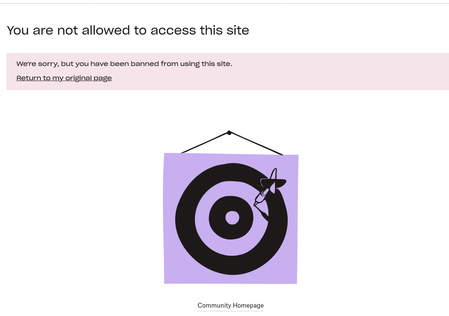
Has there some restrictions set? I suddenly cannot reach to Dropbox using one of my ISP:
... 🤔 Why? As seems I'm not banned (nor my account)... The above appears with particul...

Sheena Community Manager
1 year agoCommunity ManagerHi Здравко ,
Our team are still working on this issue in the background, so they may have fixed it, but I suspect that this was an issue on the ISP side, as that is more common. I'll pass on the message though and will reply here again when I know more.
All the best, hope you have a wonderful day 😊 Thanks!

Здравко
1 year agoLegendary | Level 20
Sheena wrote:..., but I suspect that this was an issue on the ISP side, as that is more common. ...
I don't think it could be issue at ISP side at all. What are you motives to think so? 🤔
Motives in opposite direction:
- All other sites worked (and continue work) without issue;
- Even the connection to Dropbox forum works (as such). Dropbox forum refused to serve the request! The request itself was reaching Dropbox forum site and the response (status 403) successfully was flowing back (as can be seen in the dump). What ISP issue here?!
Anyway, its back to work. 😉 It's good idea you understand what was wrong though, so it will be prevented in the future.
- Здравко1 year agoLegendary | Level 20
Hi @Sheena,
I want to complain about other Dropbox forum dis-function that got up recently. For whatever reason, I cannot tag forum member, using @ (at) symbol anymore. To be able tag you here, I had to edit the post source - pretty inconvenient. Even more, it's NOT only to me - your colleagues as seems have the same issue as could be seen here, here, here, etc. I believe it's some small bug that asks for to be freed outside forum by somebody. 😉 I believe too that you can.
Also, I have one proposal. Currently, in post editor is missing a way to format some part of the text as inline code - something that may gets done by <code></code>. I think would be an easy way to be added a small button that wraps marked text in such a way (take a look here for an example and focus on formatting of 'startOAuth2PKCE' there). Do you agree? 🧐
Thanks in advance.
- Rich1 year ago
Super User II
Здравко wrote:
For whatever reason, I cannot tag forum member, using @ (at) symbol anymore.
That's a known issue and they're working on it.
Currently, in post editor is missing a way to format some part of the text as inline code - something that may gets done by <code></code>.If you expand the toolbar, do you have the code option?
<!DOCTYPE html> <html> <body> <h1>Code Editor</h1> <p>It seems to work just fine.</p> </body> </html> - Здравко1 year agoLegendary | Level 20
Hm..🤔 I asked for inline code. Does the button you point do this? 🧐 Rhetoric of course. 🙂 As seems on the same screenshot, you posted, it doesn't!
Rich, this button may include code tag, but it is not the main one and definitely not inline (despite itself is inline). The main tag there is the pre tag - a block tag!
Hope this sheds some light. 😉
PS: I believe the following screenshots show the differences:
Do they?
- Здравко1 year agoLegendary | Level 20
Sheena wrote:..., that’s not something we’re going to be able to implement ...
Thanks anyway... 🙂
Just an underline: It is implemented already!!! My screenshot shows a Greg post that I linked to above - a post here in the forum, already existing that you can see. In this context nothing needs to be implemented, since already existed. My suggestion is just a way to be used convenient - nothing more.
Have a nice day.

About Apps and Installations
Have a question about a Dropbox app or installation? Reach out to the Dropbox Community and get solutions, help, and advice from members.
The Dropbox Community team is active from Monday to Friday. We try to respond to you as soon as we can, usually within 2 hours.
If you need more help you can view your support options (expected response time for an email or ticket is 24 hours), or contact us on X, Facebook or Instagram.
For more info on available support options for your Dropbox plan, see this article.
If you found the answer to your question in this Community thread, please 'like' the post to say thanks and to let us know it was useful!


