We’re Still Here to Help (Even Over the Holidays!) - find out more here.
Forum Discussion

lagger
3 years agoExplorer | Level 3
Signature error preventing me from viewing my documents.
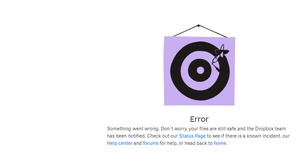
I get this error when navigating to https://www.dropbox.com/signatures and I'm unable to see any of the documents sent, send a new one, or follow up for review. Is there a workaround or something el...
- 3 years ago
Hi lagger, welcome to our Community!
Have you tried a different browser, or refreshed your current one? Do you get a specific error when trying to access our website?
Have you also tried an incognito window on your web browser, and do you see the same thing there?
Keep me posted, and we'll take it from there!


BenTaylor1
3 years agoNew member | Level 2
@Megan - I have the same problem. I have cleared my cache, restarted my laptop and logged in/out but still no change. Anything else that I can try?

Jay Dropbox Community Moderator
3 years agoDropbox Community ModeratorHI BenTaylor1, could you try using a different browser entirely, or incognito mode?
Do other devices on the same network have the same issue when trying to access that page?
 lagger3 years agoExplorer | Level 3
I spoke too soon, I'm getting errors again. On both Chrome and Edge. Tried different devices. Cleared cache & cookies. Tried incognito mode too. @Megan
- Nancy3 years ago
Hey lagger, sorry for jumping in.
Can you please check your Chrome browser for any pending updates?
In case it's up to date, can you also disable any possible plugins and return your browser to its default settings?
Let me know if any of that helps.
- lagger3 years agoExplorer | Level 3
- I've confirmed there's no pending chrome updates
- I've removed most of my chrome plugins, no change with issue
- With Edge, i have no plug ins/extensions and still getting the issue.
What is working, using url https://app.hellosign.com/ and I'm able to get access to my docs and signatures.
- BenTaylor13 years agoNew member | Level 2
I tried a different browser and three different networks, same result.

About Dropbox Sign

Ask your Dropbox Sign questions here.
The Dropbox Community team is active from Monday to Friday. We try to respond to you as soon as we can, usually within 2 hours.
If you need more help you can view your support options (expected response time for an email or ticket is 24 hours), or contact us on X, Facebook or Instagram.
For more info on available support options for your Dropbox plan, see this article.
If you found the answer to your question in this Community thread, please 'like' the post to say thanks and to let us know it was useful!


