We’re Still Here to Help (Even Over the Holidays!) - find out more here.
Forum Discussion

tatiana suslova
3 years agoExplorer | Level 3
I can't open the link (I have access to the folder and link is valid)
I have access to the shared folder and every time when the owner makes some changes:
1. I don't get an email about updates and my colleagues have to forward me messages
2. I can't open the link i...

tatiana suslova
3 years agoExplorer | Level 3
Hi Hannah ! Thanks for your complicity!
No, if I use another browser I'm asked to sign in.
Another thing is that I also don't get notifications about activity in the shared folder. Although it is enabled in my settings.

Hannah Dropbox Community Moderator
3 years agoDropbox Community ModeratorThanks for the update, Tatiana.
When you open the link from a different browser, you're asked to sign in, because the link gives you edit permissions on the folder, so you need to sign in to your account to access and edit the folder.
Can you sign in, and let me know if you see the error?
As for the notifications, are you referring to pop-up notifications on your Dropbox icon or website notifications?
- tatiana suslova3 years agoExplorer | Level 3
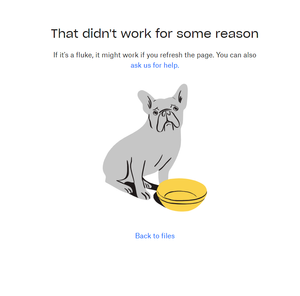
Hannah I just found this (please, check the screenshot below). So does it mean that I can view the materials inside the folder but can't get the notifications about updates?
- Megan3 years ago
Hi tatiana suslova, sorry to jump in here!
The screenshot was very helpful. It seems the shared folder is around 9 GB, and if I had to guess I'd say you're using a Basic account, therefore the folder isn't added to your account, due to the lack of storage.
You'd need to make space in the account, in order to then add the folder.
- tatiana suslova3 years agoExplorer | Level 3
Megan Hi Megan! Got it! Thank you so much!

About Create, upload, and share
Find help to solve issues with creating, uploading, and sharing files and folders in Dropbox. Get support and advice from the Dropbox Community.
The Dropbox Community team is active from Monday to Friday. We try to respond to you as soon as we can, usually within 2 hours.
If you need more help you can view your support options (expected response time for an email or ticket is 24 hours), or contact us on X, Facebook or Instagram.
For more info on available support options for your Dropbox plan, see this article.
If you found the answer to your question in this Community thread, please 'like' the post to say thanks and to let us know it was useful!


